27
Using the Cameras
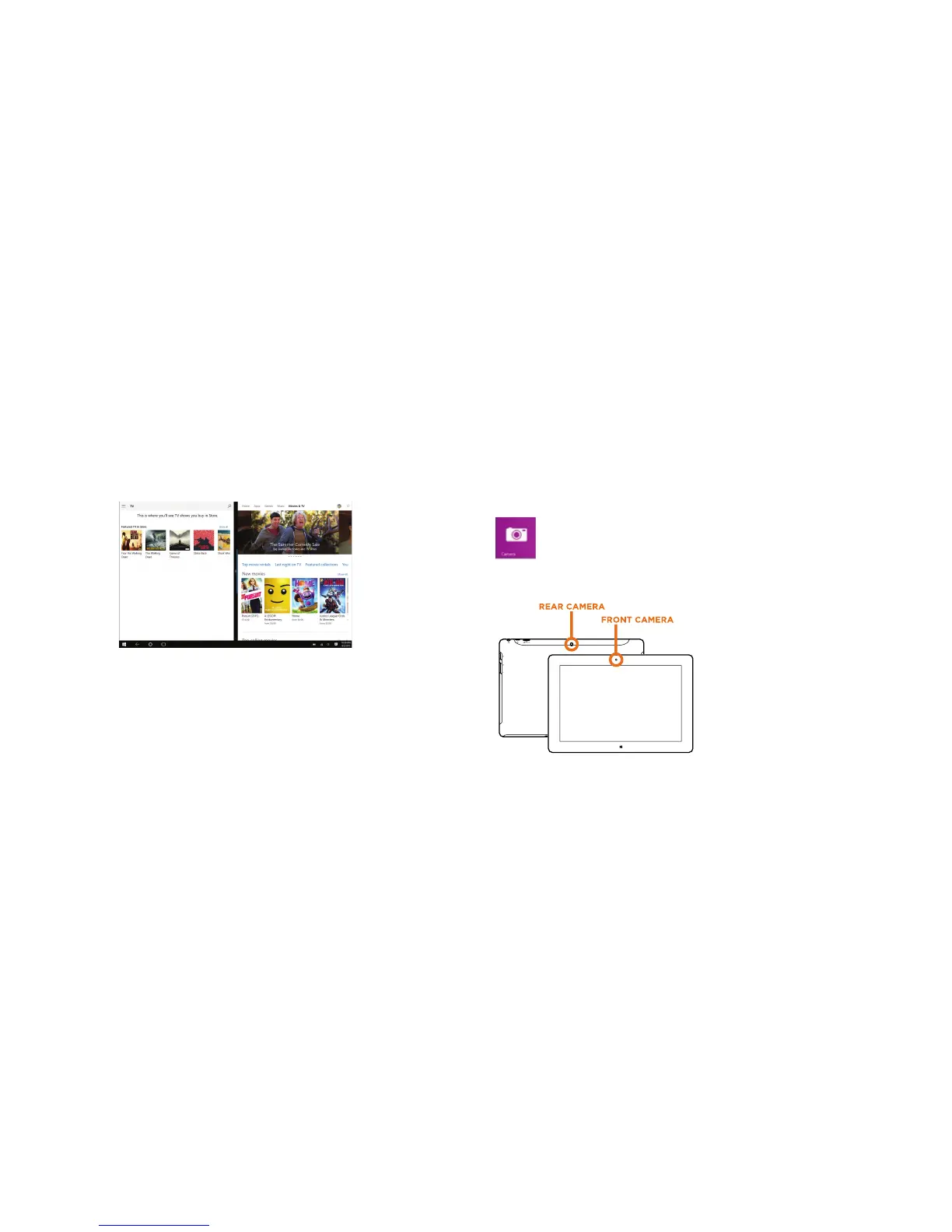
Front and Rear Cameras
Your tablet features two 2MP cameras. With the front-facing camera
you can video chat and take selfies. Use the rear camera to take photos
or record videos.
To take a photo or record video, open the Camera app and tap the on screen Camera
or Video shutter button. Tap the Video shutter button once again to stop recording.
The cameras Settings menu provides
options for viewing and editing photos
and videos.
Add folders that contain all of your
photos and videos for convenient
viewing. In addition albums can be
created automatically, whereby Microsoft
will select your best shots and create an
album.
TMAX DIGITAL,INC.
MODEL:TM101W535L
FCC ID: 2AAP6M1042
INPUT: 5V/2A
MADE IN CHINA
26
Windows Store
The Windows Store has all the apps you’re looking for. Start searching for apps in top
categories such as games, entertainment, music, sports, eBooks, News, Food & Dining,
Travel, business and more.
Once you have signed up for a Microsoft account, you can download and install apps
from the Windows Store.















 To Next Page