7
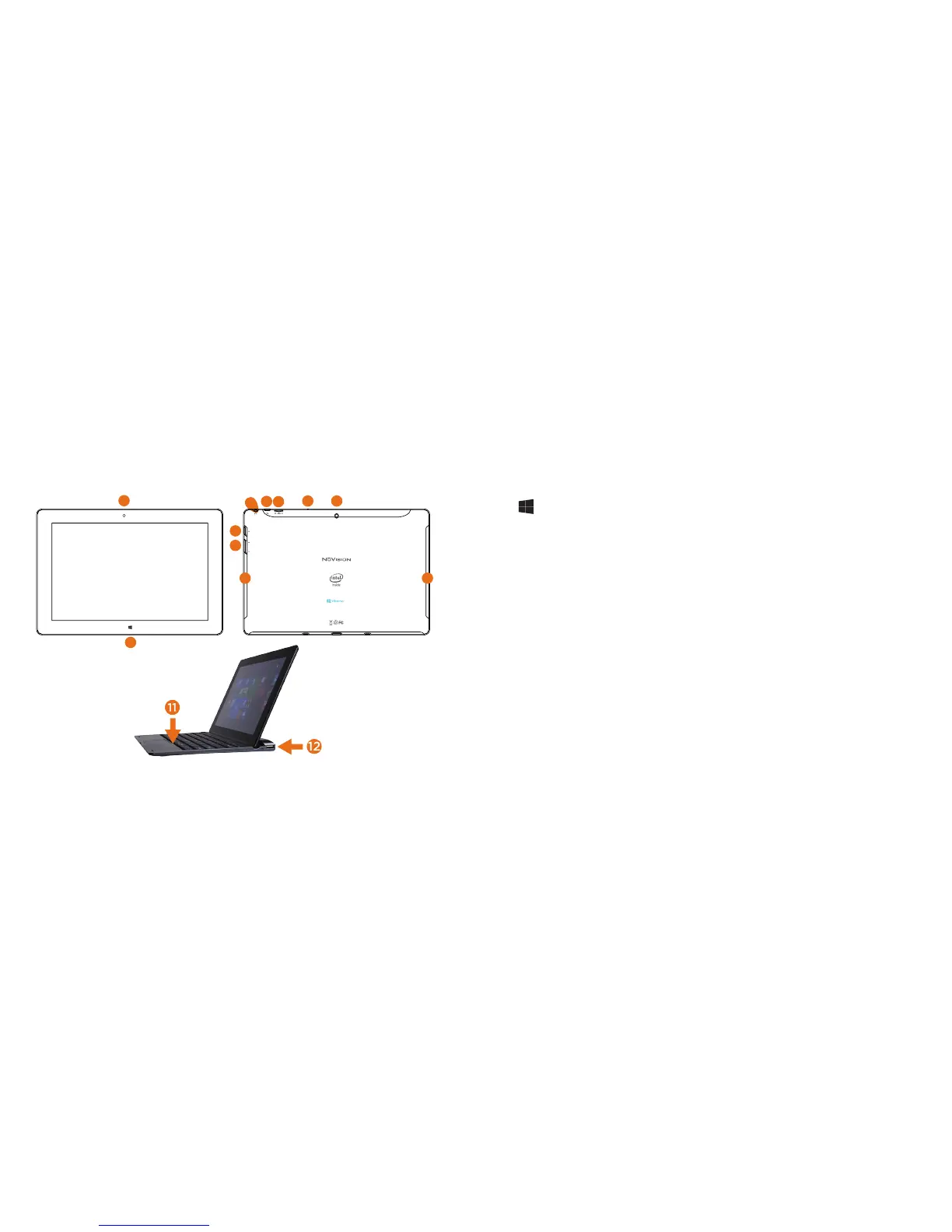
1. Camera: Built in 2.0MP front camera to take HD photos or videos.
2. Window: Press to return to Home/Start Menu.
3. Power: Press and hold for 3 seconds to turn on the tablet. Press momentarily to
enter Sleep mode. This will turn off display and save battery life. Press and hold to
turn off.
4. Volume- / Volume +: Decrease or increase volume level for speakers or headphones.
5. Headphone: Insert headphones for private listening or connect with amplified
speakers.
6. Micro USB Power Port: Connect to power supply to recharge tablet; connect an
external flash drive or other compatible device.
7. Micro TF Memory Card Slot: The built-in storage card reader slot supports an
optional TF memory card for additional storage.
8. Microphone: Built in microphone to speak to Cortana, or for personal voice recording.
9. Camera: Built in 2.0MP rear camera to take HD photos or 720p videos.
10. Loudspeakers: Built in audio speakers to listen to music, podcasts, etc., without
headphones.
11. Caps Lock Light
12. Full-Size USB Port
6
Tablet Overview
TMAX DIGITAL,INC.
MODEL:TM101W545L
FCC ID: 2AAP6M1042
INPUT: 5V/2A
MADE IN CHINA
6
5
7
9
10 10
8
4
1
2
3















 To Next Page