10 | OxyPure Zero E1000
OPERATING THE OXYPURE
CONTROL PANEL • POWER • MODES & FUNCTIONS
Operating the Oxypure
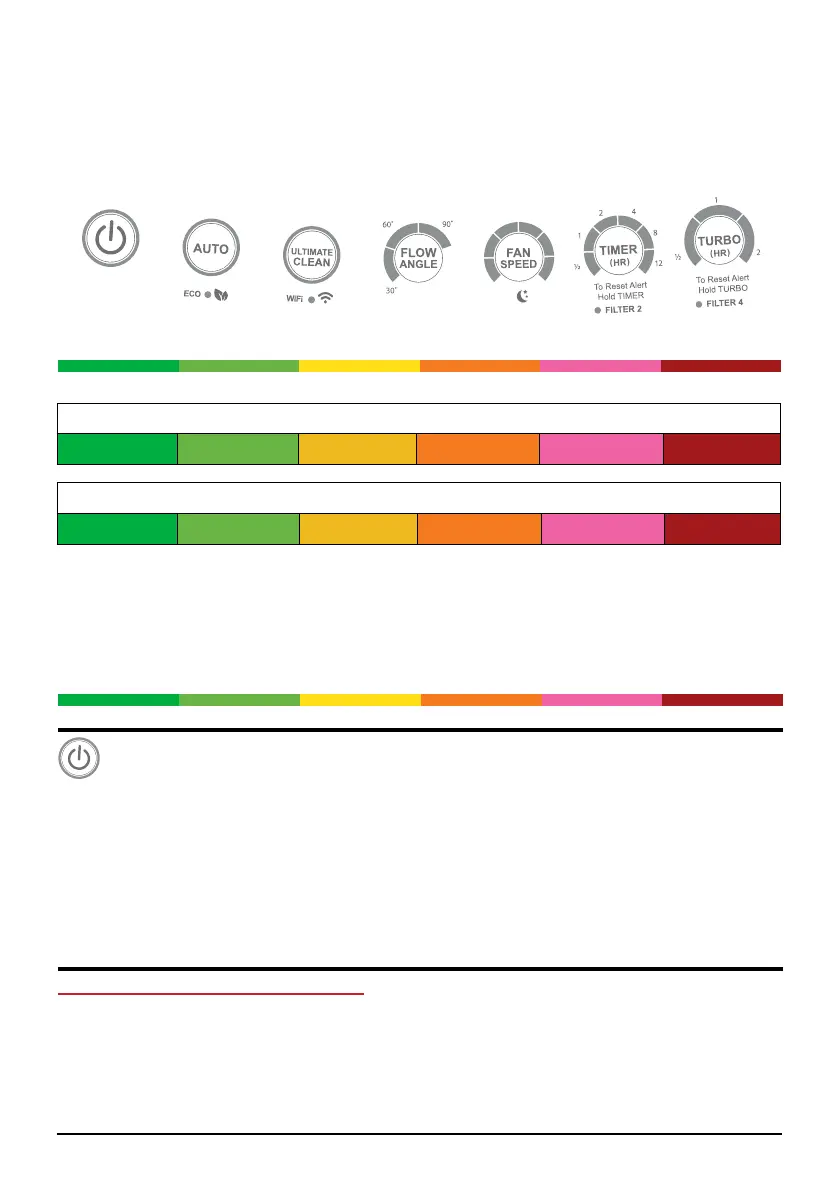
The OxyPure’s control panel allows you to turn the unit on and off, choose an operating
mode or function (see below), and monitor your lter health.
Air/Odor Quality - Detects particles as small as 2.5/1000mm
Clean Dirty
POWER Button
1. Plug in the OxyPure. The unit will go into standby mode, with the red LED around the
POWER button illuminated.
2. Press POWER to activate the OxyPure. The LED will change to green.
3. After you press POWER for the rst time, the OxyPure will default to FAN SPEED
1 with no time limit. The airow angle will be 90°.
Note: In subsequent activations, the unit will default to the last setting used.
Operating Modes and Functions
The OxyPure offers a number of different operating modes to handle nearly any air
cleaning need you have. These include Auto, Eco, Turbo, Ultimate Clean and Sleep
modes. If user has chosen any mode to run, the unit will automatically run the same mode
until it is changed. In addition, there are also the Fan Speed, Timer, and Air Flow Angle
functions.
Particulate Matter (PM) with a diameter of 2.5 microns or less
0~5 5~10 10~20 20~30 30~50 Over 50
Fan Speeds
1 2 3 4 5 6
Air and Odor LEDs
The OxyPure will display the Air/Odor quality from Clean to Dirty as represented below. If
the contamination in the air exceeds Dirty (red LED), a warning is triggered with a beeping
sound and a ashing LED. To turn off this warning, press AUTO and Fan Speed at the
same time. Press the same buttons to turn the warning feature on.
Clean
Dirty










 To Next Page