Azimuth = Compass direction.
Elevation = Tilt of dish up or down.
LNB = Receiving head where coax connects to.
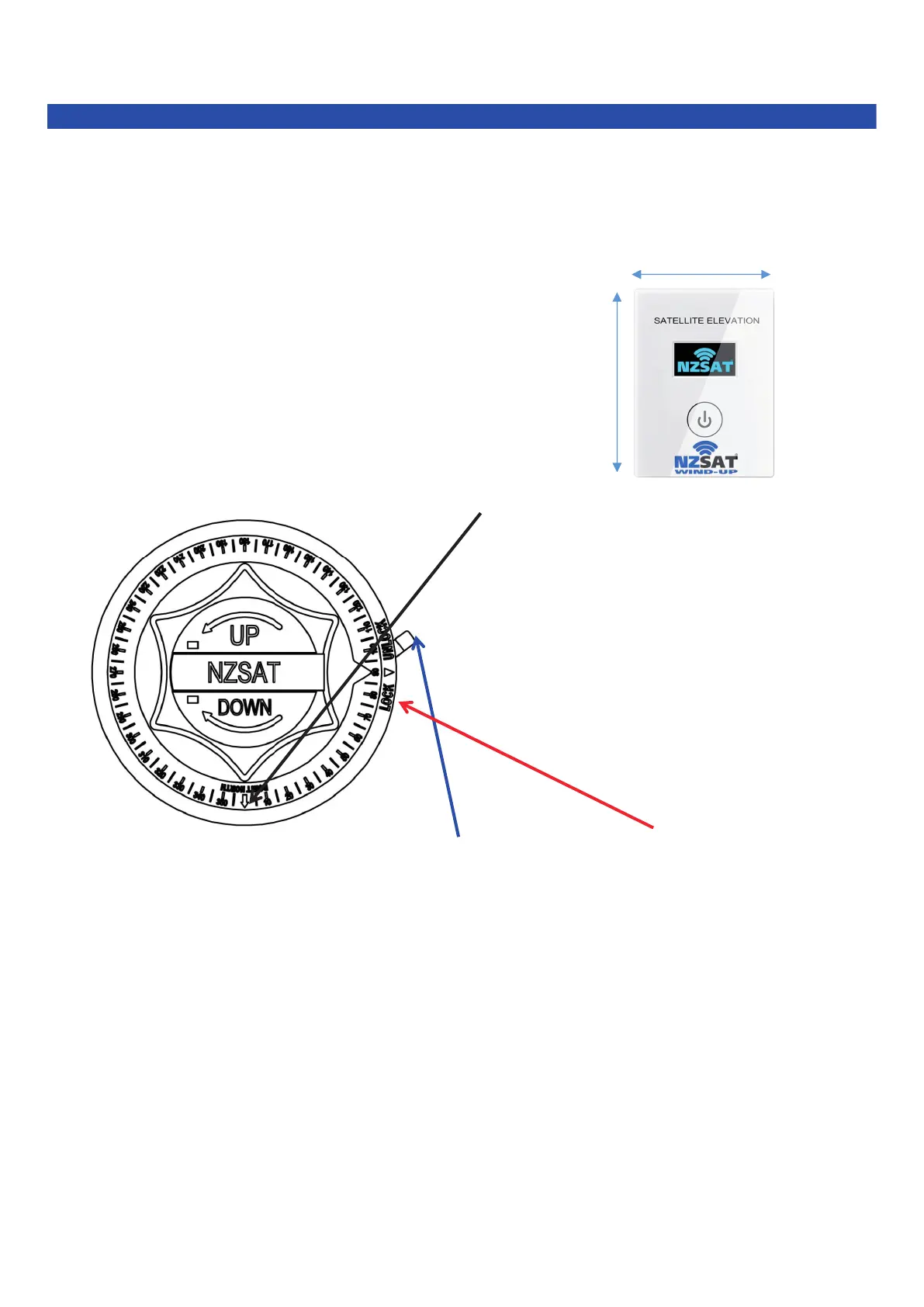
STEP 1. Press the power button on the digital elevation meter (Fig B) & wind the dish up counter clockwise
to the correct elevation for where you are located (Fig A). 55mm
Fig B 75mm
STEP 2. Find NORTH on a compass & rotate the BLACK arrow on the AZIMUTH DIAL to NORTH (Fig C)
STEP 3. Move the LOCK-UNLOCK Lever to the UNLOCK position & rotate the RED Dish Direction
Pointer to the correct Azimuth for your current location (Fig C).
STEP 4. Check to make sure that the elevation is still correct on the meter. (Fig B)
STEP 5. Turn on your TV & Satellite Decoder & bring up on the screen the Signal meters.
NB. All units are different & this will vary, consult your manual on the products you have.
STEP 6. Move dish left & right of its current position VERY SLOWLY until satellite quality or picture is acquired.
NB. It pays to start this process at 1 degree less than needed, then raise the dish in 1 degree increments
after each left & right movement. Keep checking Elevation Meter to make sure elevation is correct.
Special Notes: When you have satellite quality, adjust the dish up/down and left/right for the
strongest quality on the Signal Quality Meter Display.
STEP 7 . LOCK dish in place



 To Next Page