EN
14
MESSAGING
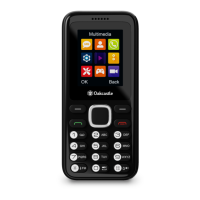
While in the menu, use the ‘Up’ or ‘Down’ arrow buttons to scroll
through the sub-menus until you find ’Message’. Press the left
soft key (Ref.4) to enter.
Within ‘Message’ you will find: Write a new message, Inbox,
Outbox, Drafts, Sent box, Security Inbox, Templates, Broadcast
message & Voicemail server.
Send a text message
• Enter ‘Write a message’, and then select SIM 1 or SIM2 as
default to use for sending the text messages from. Press the
‘UP’ arrow button to edit. Press the corresponding letter
buttons on phone keypad buttons to write the text message,
select the contact number and send.
When typing a message, use the following mobile phone keys
which correspond to:
‘1’ and ‘*’- Punctuation and other signs, ?! ‘ “ - @ : ; / _
‘0’ - Insert space/press number 0
‘#’ - Input method settings
Abc/abc/ABC/123
Note: For easy access to ‘Write a message’, you can set this
feature on one of the shortcut keys on your phone via Phone-
Settings- Shortcut Settings.
Phone Messaging


 To Next Page