EN
8
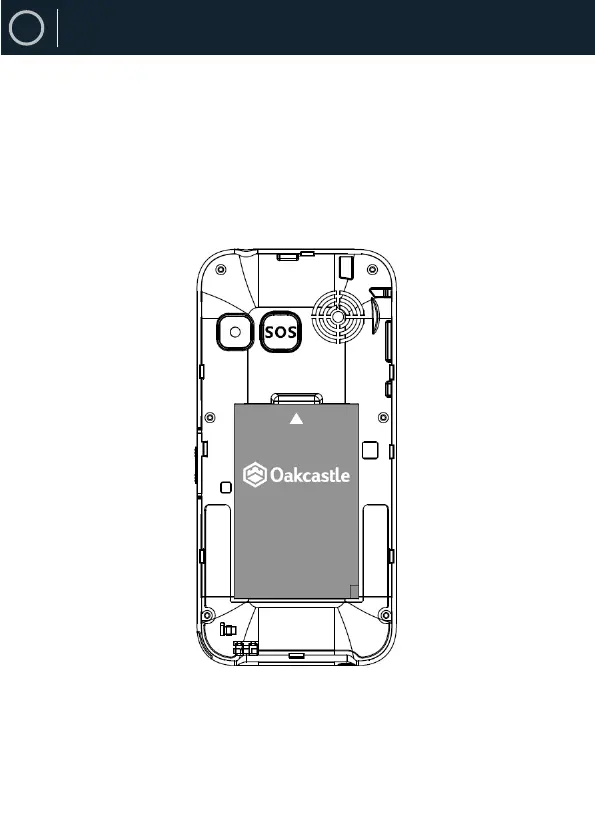
Insert phone’s battery into its slot
Position the battery with the arrow oriented to the small indent
of the battery slot, push gently inside its slot. To remove the
battery already inserted, place your finger into the small empty
place where the arrow sign is and pull up the battery.
Phone Set-Up


 To Next Page