EN
16
• Language Settings- Set the text language for your phone
display or writing in between: English, French, Spanish,
Portuguese, German, Italian. The default phone language is
English.
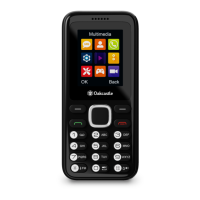
• Shortcut Settings – Set your key shortcut, one for the ‘Up’
and one for the ‘Down’ arrow buttons (Ref.3) to quickly
access from the phone’s display. Choose one option for each
one of these buttons and confirm as done using the right key.
• Auto power ON/OFF – You can set the time when the phone
will power on or off. Once you have entered this section,
select using arrow buttons ‘Auto power on’ or ‘Auto power
off’. Enter each section using the left key (Ref.4), then press
the ‘UP’ arrow button to edit the time and then set for Once,
Daily or Working Days.
• Shortcut Settings – Set your key shortcut, one for the ‘Up’
and one for the ‘Down’ arrow buttons (Ref.3) to quickly
access from the phone’s display. Choose one option for each
one of these buttons and confirm as done using the right key.
• Auto power ON/OFF – You can set the time when the phone
will power on or off. Once you have entered this section,
select using arrow buttons ‘Auto power on’ or ‘Auto power
off’. Enter each section using the left key (Ref.4), then press
the ‘UP’ arrow button to edit the time and then set for Once,
Daily or Working Days.
• Power Management - Access this section to check the
battery power level.
• Restore to factory settings – Enter this section to process a
reset to default settings of your phone. Use password 1234.
Note: When completing a factory reset, all your personalised
phone settings might be lost as the phone will be stored to
factory default. Remove the SIM and SD card before processing
a phone reset
.
Phone Settings


 To Next Page