EN
6
How to open the phone case
To open the F300 and remove or replace the battery or even
insert a SIM or SD card, place fingernails either side of the small
phone case opening to prise open the back case from the phone.
There is a small indent in the casing on the bottom right of the p
opened, remove the battery to access the SIM and the SD card
slots.
Although the F300 is a dual SIM phone, it is ok to use one SIM
card only.
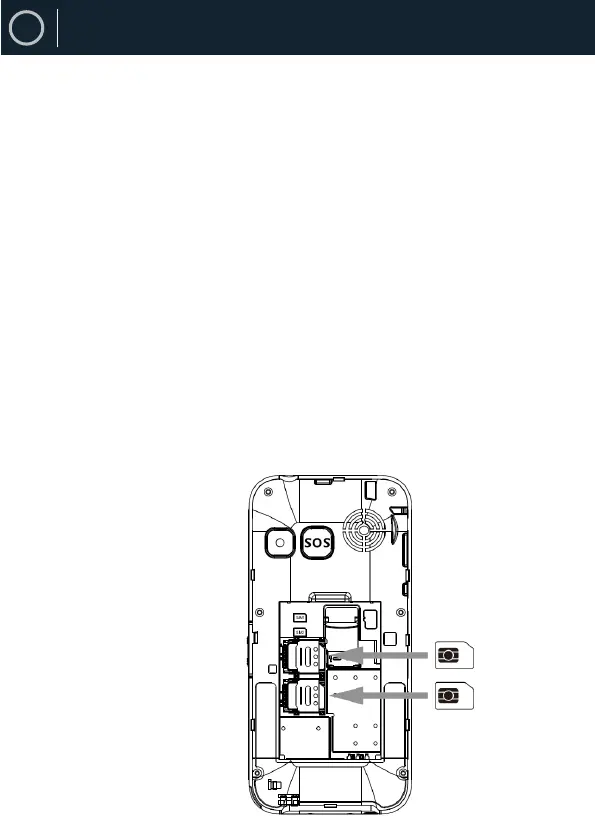
To insert a SIM card, push the metal bar towards the phone edge
and lift this up (Picture 1). The SIM card needs to be inserted
beneath the thin metal bar.
The metal bar holds the SIM card firmly in place. Insert your SIM
card into the metal slot, push down the metal support to affix the
SIM card properly into its slot.
Once the SIM card is properly affixed into its slot, insert the
battery, and close the phone case afterwords.
Picture 1 - Sim card slot
Phone Set-Up


 To Next Page