EN
18
MULTIMEDIA
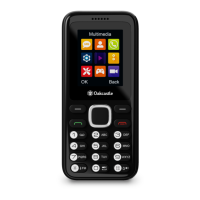
Whilst in the menu, using the arrow buttons navigate through the
options until you will see ‘Multimedia’. Press the left key (Ref.4)
to enter.
Within multimedia you will access Camera, Video recordings,
Voice recordings and FM radio.
CAMERA/ VIDEO CAMERA/ RECORDER
Camera: To take a picture select ‘Camera’, and then press the
left key to enter (Ref.4). Press the ‘UP’ arrow button to take a
picture and then save. To view the saved picture, access ‘Image
folder’.
Video Recordings: To start a video recording, press the left soft
key (Ref.4) to enter ‘Video recordings’, and then press the 'UP’
arrow button to start recording a video, press again to stop
recording then save. To view the video recording, enter the
‘Video’ section.
Phone Multimedia, Photos & Videos


 To Next Page