Instruction Manual CON 6/TDS 6
28
%
C°
Meter Off
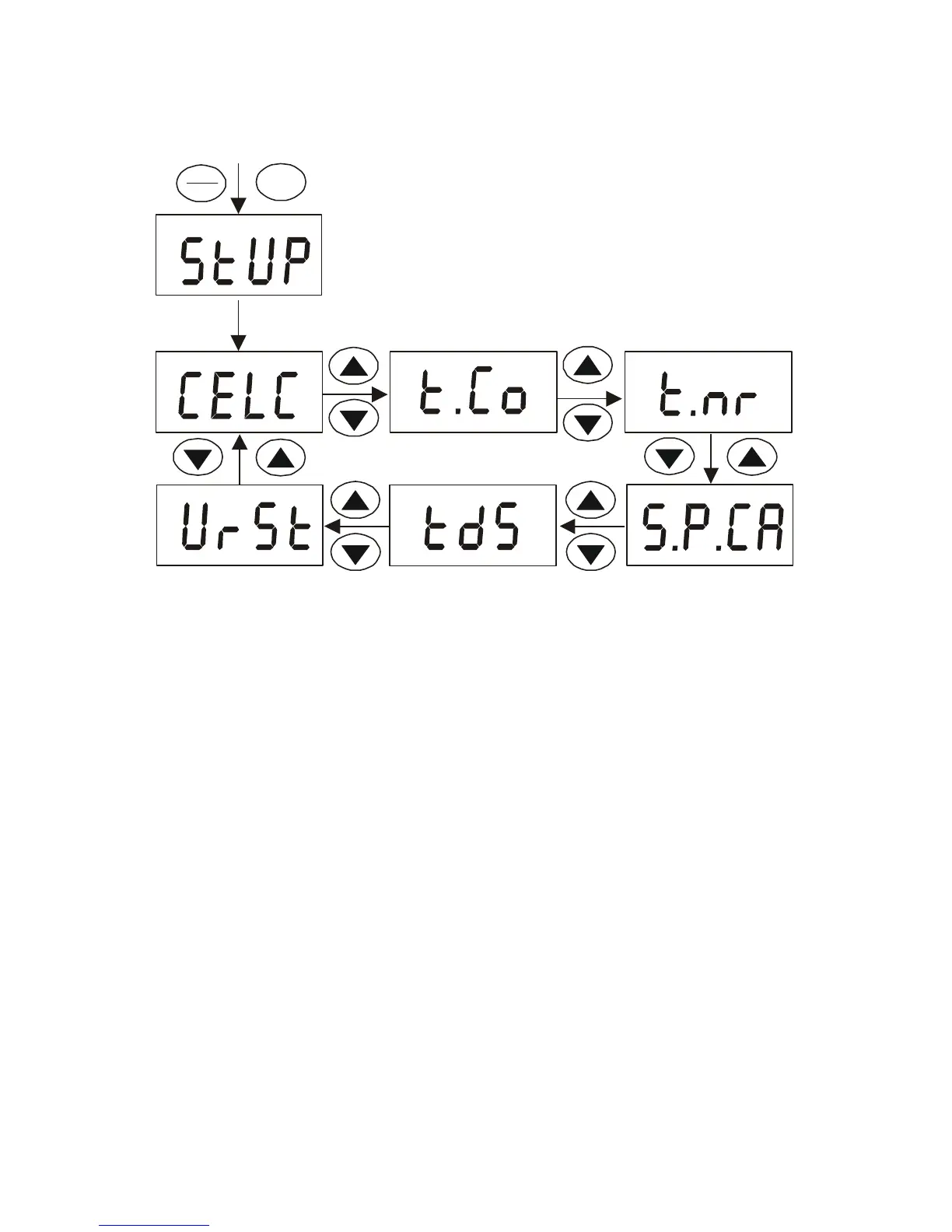
Press ON/OFF and MODE keys
simultaneously for 2 seconds, release
ON/OFF key first then release MODE key
a second later.
A "StUP" indicator will appear for 1.5
seconds before showing the first menu
ON
OFF
MODE
Overview of TDS 6 Setup Menu



 To Next Page