Instruction Manual CON 6/TDS 6
33
6.8 Restore Factory Default Values
This function allows you to reset all parameters to factory default settings. This
clears all calibration data and any other setup functions you might have
changed.
IMPORTANT: Once activated the meter’s settings and calibration data will be
erased and always exercise caution as meter reset is not reversible.
1) Enter the advanced setup as described in
Section 6.1.
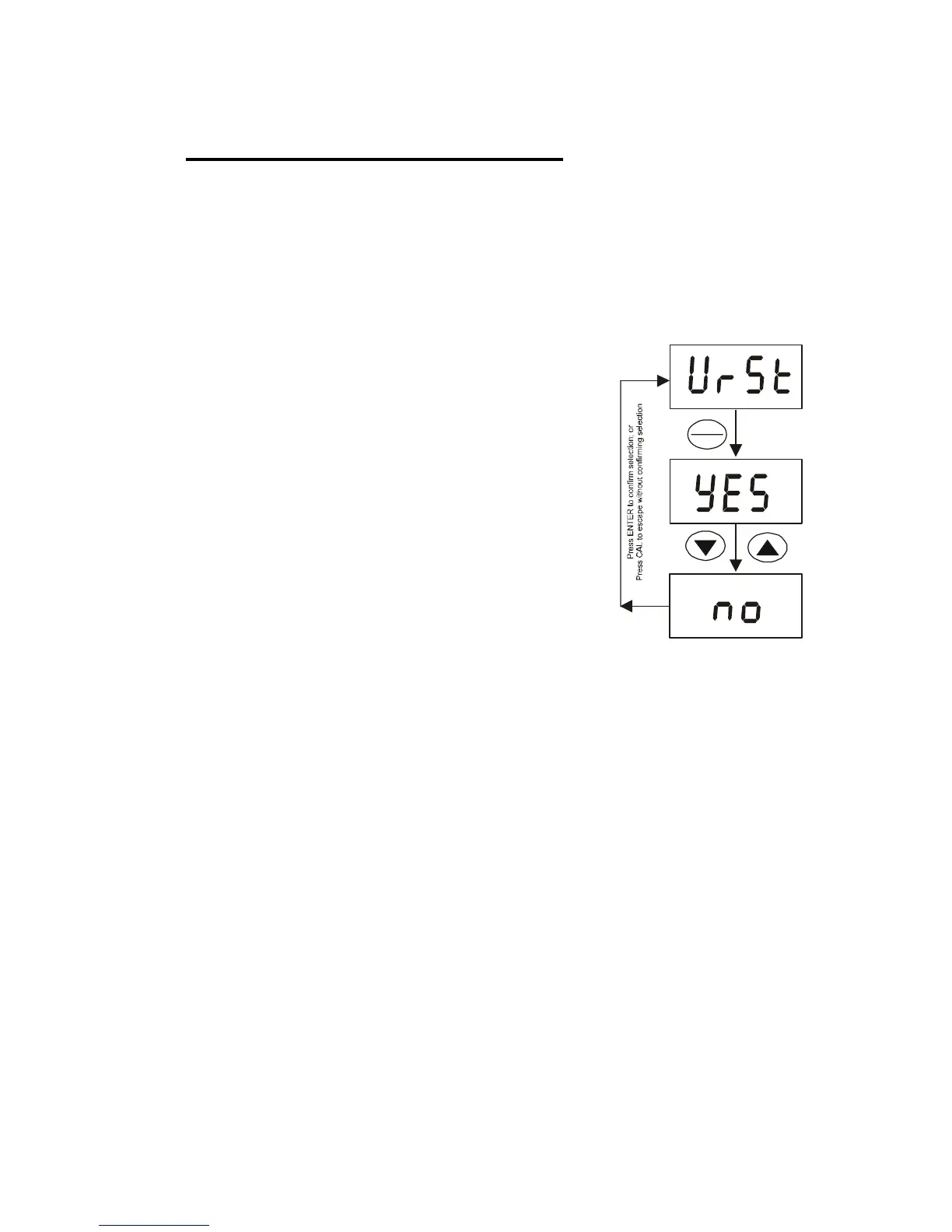
2) Press ▲ or ▼ key until [UrSt] appears on the
LCD. Press ENTER key.
3) Press ▲ or ▼ key to select either [Yes] or
[no].
4) Press ENTER key to select.
5) The meter will go back to measurement mode
after the switch-on initialization as shown in
figure on Section 3.6. .
HOLD
ENTER



 To Next Page