Instruction Manual pH 5+, pH 6+, Ion 6+
-14-
3.4.2 Without Temperature Probe (no ATC)
If no temperature probe is used, the meter compensates for pH response based on a
temperature value manually set by you or at 25.0
o
C (factory default).
1. Press MODE key to enter into Temperature mode until “
o
C” shows in LCD.
2. Compare the displayed value to NIST certified thermometer or thermometer known
to be accurate (dipped into a constant temperature bath).
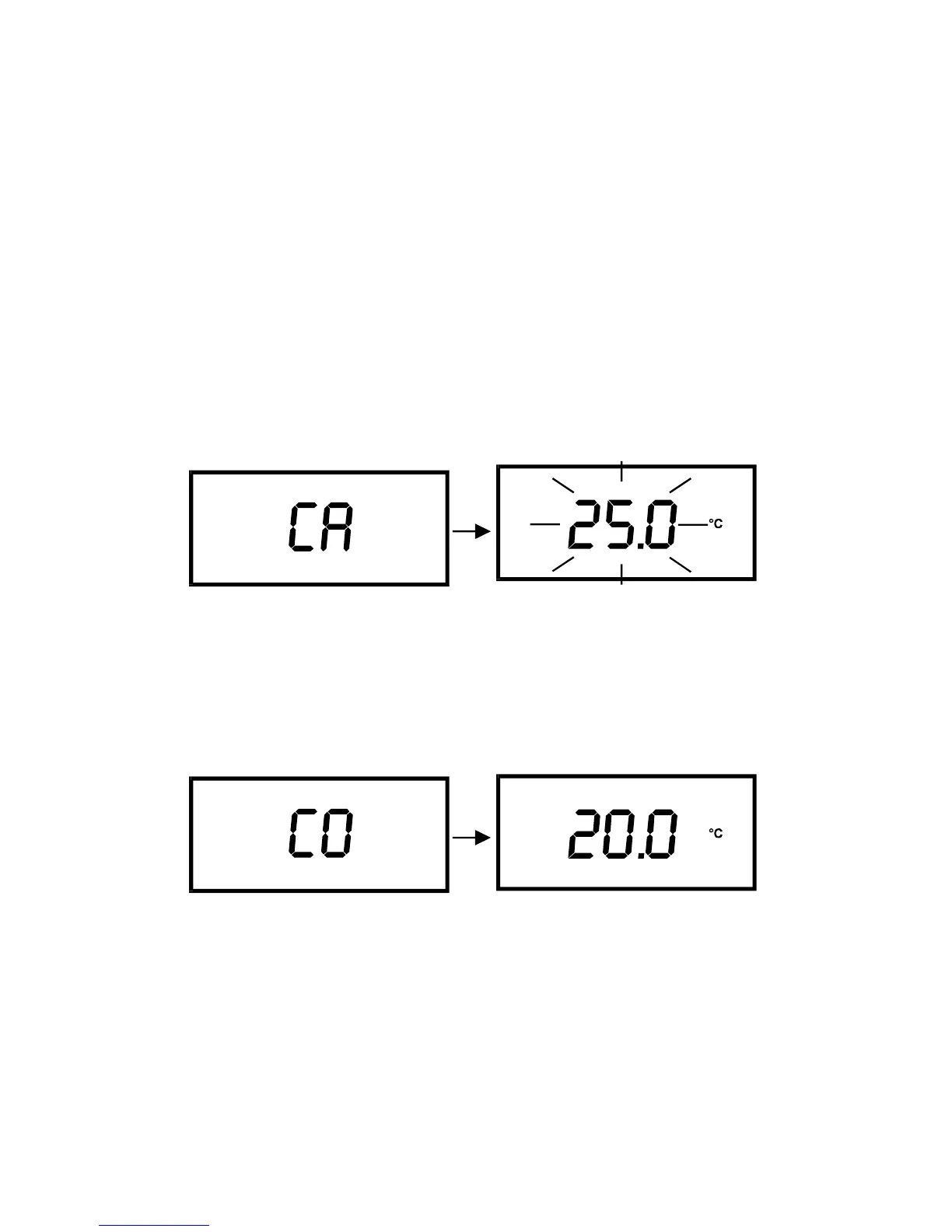
3. Press CAL key to enter temperature calibration mode. The LCD shows “CA”
momentarily and displayed reading flashes. Note that this displayed value should
either be 25.0
o
C or last set temperature value.
4. Press S and T key (for Ion 6) or INC key (for pH 5/6) until the displays shows the
desired temperature. You can set any value from 0 to 100
o
C.
5. To cancel or abort this operation, press CAL key. Note no new value will be stored
into its meter‘s non-volatile memory. To confirm calibration, press ENTER key. The
LCD displays “CO” momentarily, and the meter reverts to measurement mode.


 To Next Page