Instruction Manual pH 5+, pH 6+, Ion 6+
-15-
4. MEASUREMENT
4.1 Taking Measurements
1. Before measurement, rinse pH/ORP electrode or Ion Selective Electrode and
temperature probe with clean water to remove any impurities stuck onto the bodies
of probes.
2. Power on the meter using ON/OFF key. Press MODE key to select your desired
mode of operation (pH, mV, Ion, or Temperature).
3. Dip and stir both probes gently into an aqueous test sample, swirl gently and wait
for the reading to stabilise. Note the reading. Freeze the displayed if desired—for
details refer to Section 4.3.
4. Rinse probes with clean water before taking next reading or storage.
4.2 Millivolt (mV) Reference Check (Ion 6+ only)
The mV mode in Ion 6+ can be used for the diagnosis of ISE or pH electrode condition.
Press MODE to access mV mode, the “mV” annunciator in LCD is displayed. The
displayed value shows the absolute mV value of ISE or pH electrode being measured.
4.3 Holding a Reading
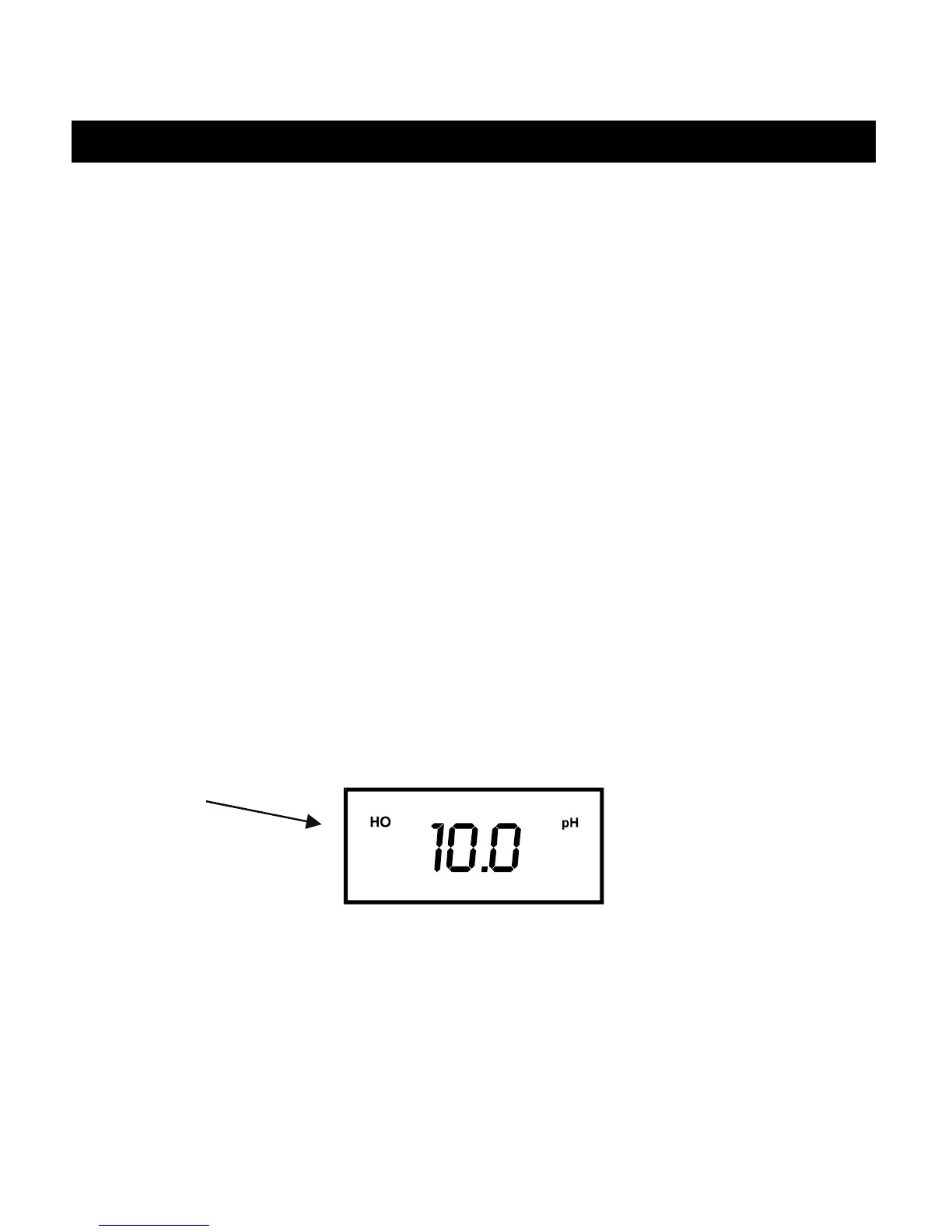
To freeze or hold your displayed reading momentarily, press HOLD key once. The LCD
displays ”HO” annunciator to indicate the HOLD function is activated.
4.4 Releasing a Held Reading
Press HOLD key once again to deactivate the HOLD function or to release your frozen
reading. The meter reverts to current measurement mode, and the “HO” annunciator
disappears from the LCD.


 To Next Page