EasyManua.ls Logo

Oakton pH 5+ - User Manual

Oakton pH 5+
24 pages
Print Icon
To Next Page IconTo Next Page
Loading...
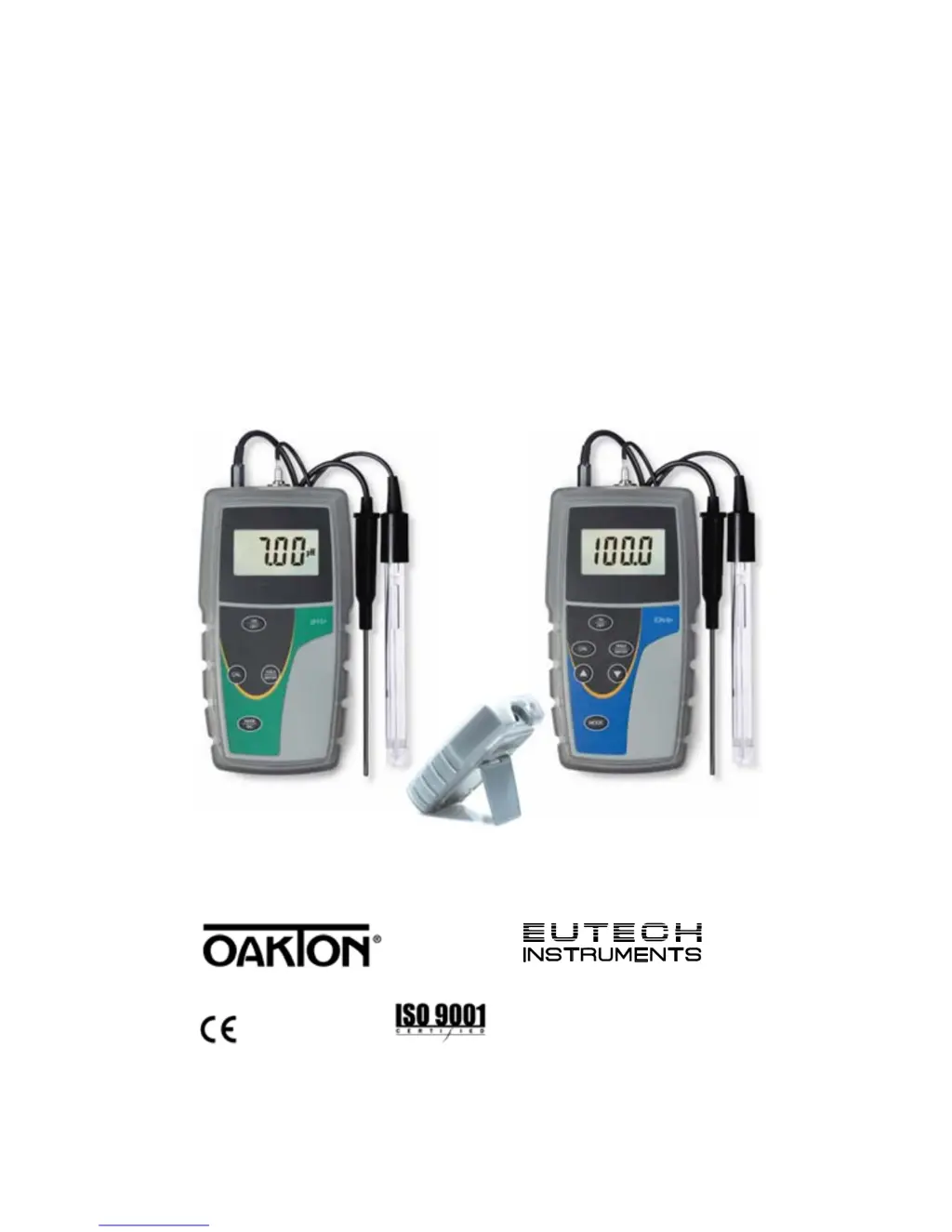
Instruction Manual
pH 5+ pH/°C
pH 6+ pH/°C/mV
Ion 6+ pH/°C/mV/Ion
Technolo
g
y
M
ade
E
a
s
y
.
.
.
68X576801 Rev 0 07/2011

Questions and Answers

  • D
    dhooperJul 26, 2025
    Why is my Oakton Measuring Instruments reading unstable?
    • M
      melvinbellJul 26, 2025
      If your Oakton Measuring Instruments display shows an unstable reading, it could be due to several reasons. The electrode might be dry, so try hydrating or soaking the pH electrode. Alternatively, the electrode could be dirty, so try cleaning it. Also, allow time for the electrodes and solution to stabilize, especially if the temperature is changing.
  • M
    Michael ChapmanJul 30, 2025
    What to do if my Oakton pH 5+ Measuring Instruments shows “ - - - ” on display?
    • A
      Alicia McgrathJul 31, 2025
      If your Oakton Measuring Instruments shows “ - - - ” on the display, it means the Ion 6+ requires calibration. You should perform either a 2 or 3 point ion calibration.
  • B
    becky99Aug 5, 2025
    Why does my Oakton pH 5+ Measuring Instruments say “LO”?
    • G
      gtrevinoAug 5, 2025
      If you see “LO” on your Oakton Measuring Instruments display, it indicates a low battery. Replace the batteries to resolve this issue.
  • M
    maria66Aug 9, 2025
    What to do if my Oakton pH 5+ is not able to calibrate?
    • J
      Jason GambleAug 10, 2025
      If your Oakton Measuring Instruments is not able to calibrate, there are a few potential causes. * The display might freeze (release reading by pressing .) * The electrode could be faulty (replace electrode). * The buffer might be inaccurate (use fresh buffer solutions).
  • T
    Tina ThompsonAug 15, 2025
    What to do if my Oakton pH 5+ Measuring Instruments is over range?
    • J
      jacqueline31Aug 15, 2025
      If your Oakton Measuring Instruments displays a reading that exceeds the maximum value (over range), ensure that the value being measured is within the range of the selected mode and confirm that the electrodes are connected and working properly.
  • D
    Derrick KnightAug 20, 2025
    How to fix no display on Oakton Measuring Instruments?
    • M
      Melanie McmillanAug 20, 2025
      If your Oakton Measuring Instruments has no display, it might be due to the batteries either being absent or installed incorrectly. Make sure to insert the batteries using the correct polarity.

Summary

Introduction

Getting Started

Description of Keypad Functions

Explains the functions of the keys on the pH 5+/6+ and Ion 6+ keypads.

Description of LCD Annunciators

Describes the annunciators displayed on the meter's custom LCD screen.

Inserting & Removing the Rubber Armor; Stand

Instructions on how to attach and detach the rubber armor and utilize the stand.

Inserting New Batteries

Guide on how to replace the meter's batteries, noting polarity.

Connecting Electrodes and Temperature Sensor

Details on how to connect pH, ORP, lon electrodes and temperature sensors.

Powering the Meter On

Steps for turning on the meter and its initial self-diagnostic display sequence.

Calibration

pH Calibration

Information on pH calibration, buffer groups, and standards recognized by the meter.

pH Calibration Procedure

Step-by-step guide to perform a pH calibration using buffer solutions.

Changing the pH Buffer Group

Instructions on how to select the desired pH buffer group for calibration.

Resetting User Calibrated Values

Procedure to reset calibration values to factory defaults or partially reset them.

Ion Calibration (Ion 6+ only)

Details on calibrating the Ion 6+ meter using ion selective electrodes (ISE).

Ion Calibration Procedure (Ion 6+ only)

Step-by-step guide to perform ion calibration on the Ion 6+ meter.

Millivolt (mV) Calibration (6+ only)

Instructions for calibrating the millivolt (mV) or ORP measurement mode.

Temperature Calibration

Guide for calibrating the temperature measurement function of the meter.

With Temperature Probe (Automatic Temperature Compensation)

Instructions for temperature calibration when using an automatic temperature compensation probe.

Without Temperature Probe (Manual Temperature Compensation)

How to manually set the default temperature for compensation without a probe.

Measurement

Taking Measurements

Procedures for preparing and taking sample measurements with the meter.

Holding & Releasing a Reading

How to freeze and resume a displayed measurement reading on the meter.

Troubleshooting

Specifications

Replacements and Accessories

Warranty

Return of Items

Oakton pH 5+ Specifications

General IconGeneral
pH Accuracy±0.01 pH
pH Resolution0.01 pH
mV Accuracy±0.2 mV
mV Resolution1 mV
Temperature Range0.0 to 100.0 °C (32.0 to 212.0 °F)
Temperature Accuracy±0.5 °C (±0.9 °F)
DisplayLCD
mV Range±1999 mV
Temperature Resolution0.1 °C
Power4 AAA batteries
CalibrationAutomatic
Battery LifeApproximately 500 hours
pH Range-2.00 to 16.00 pH
Calibration PointsUp to 5 pH points

Related product manuals