Instruction Manual pH 5+, pH 6+, Ion 6+
Inserting & Removing the Rubber Armor / Stand
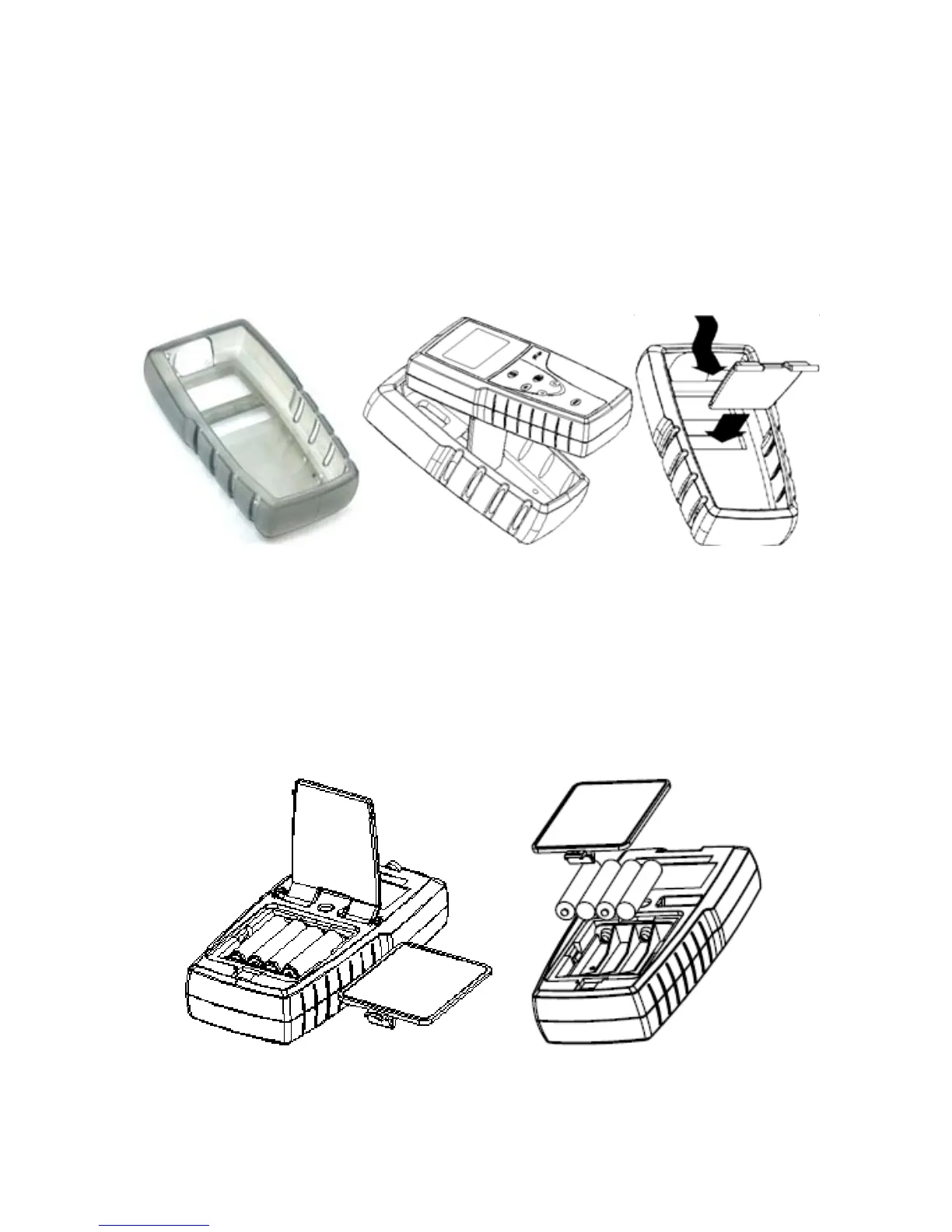
Before removing the meter from the rubber armor, disconnect any electrodes. Push out
from the bottom edges of meter until it is completely out of boot.
To insert meter into the armor, slide in from the top of meter before pushing the bottom
edges of meter into position. Tilt the stand at the back of meter for table top usage as
desired.
Inserting New Batteries
The “LO” annunciator alerts you when battery power is running low. Power off the meter
before removing the batteries. After removing the rubber armor, push the battery cover
in the direction of the arrow and lift up—no screwdriver is required. Note the polarity of
batteries before inserting into position.
4



 To Next Page