Instruction Manual pH 5+, pH 6+, Ion 6+
Changing the pH Buffer Group
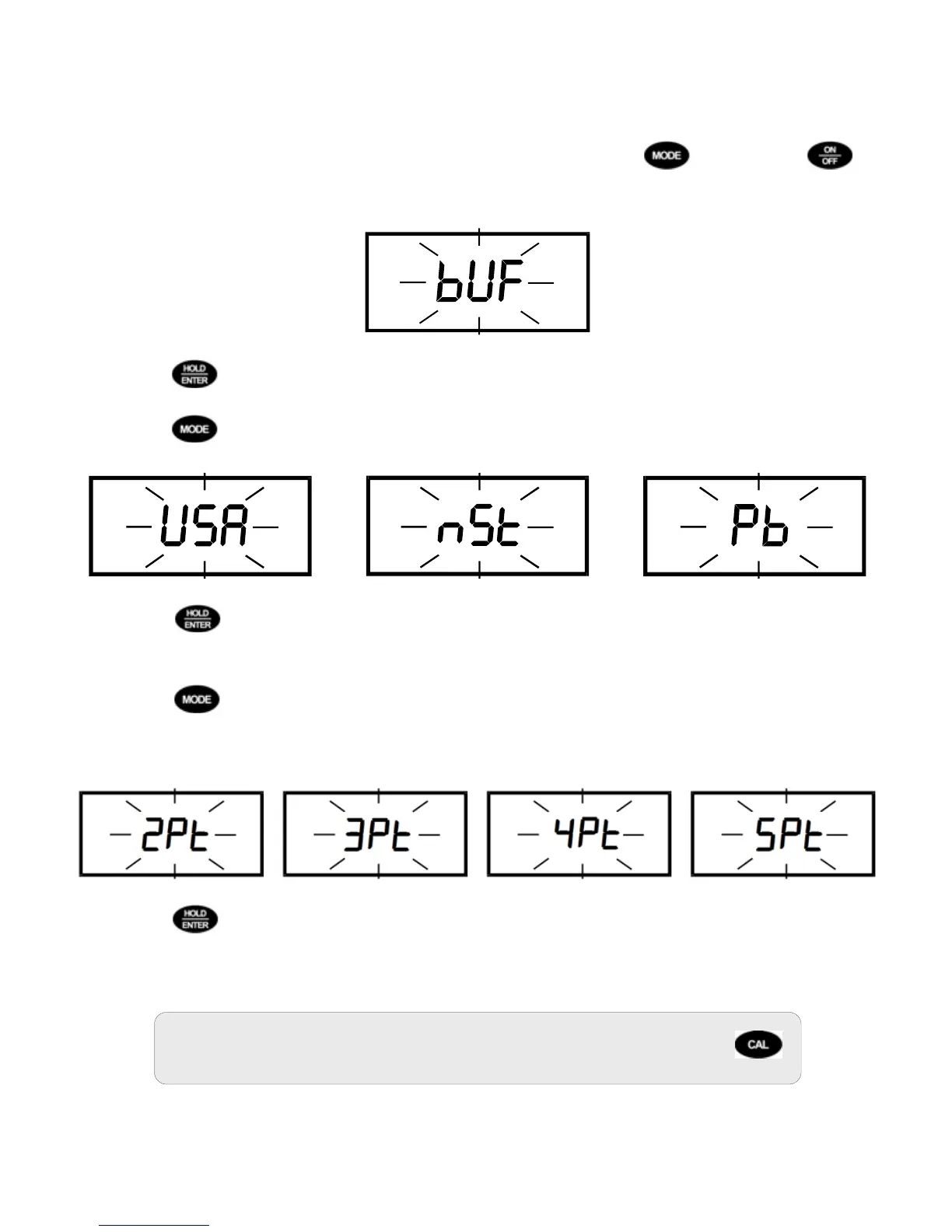
1. Power off the meter while in pH mode. Press and hold then press . If
successful, “
” will blink on the display. Release both keys.
2. Press
to enter the buffer group selection mode.
3. Press
to toggle between the available pH buffer groups:
4. Press to confirm the pH buffer group. Note: If is selected, measurement
mode will begin. If or is selected, proceed to step 5.
5. Press
to toggle between the desired number of calibration points (Pt). Note:
During pH calibration mode, the meter will automatically complete calibration after
the number of points selected here has been completed.
6. Press
to confirm the number of calibration points. The meter will automatically
begin to measurement mode.
To abort the buffer grou
p selection or go back one step, press
.
8



 To Next Page