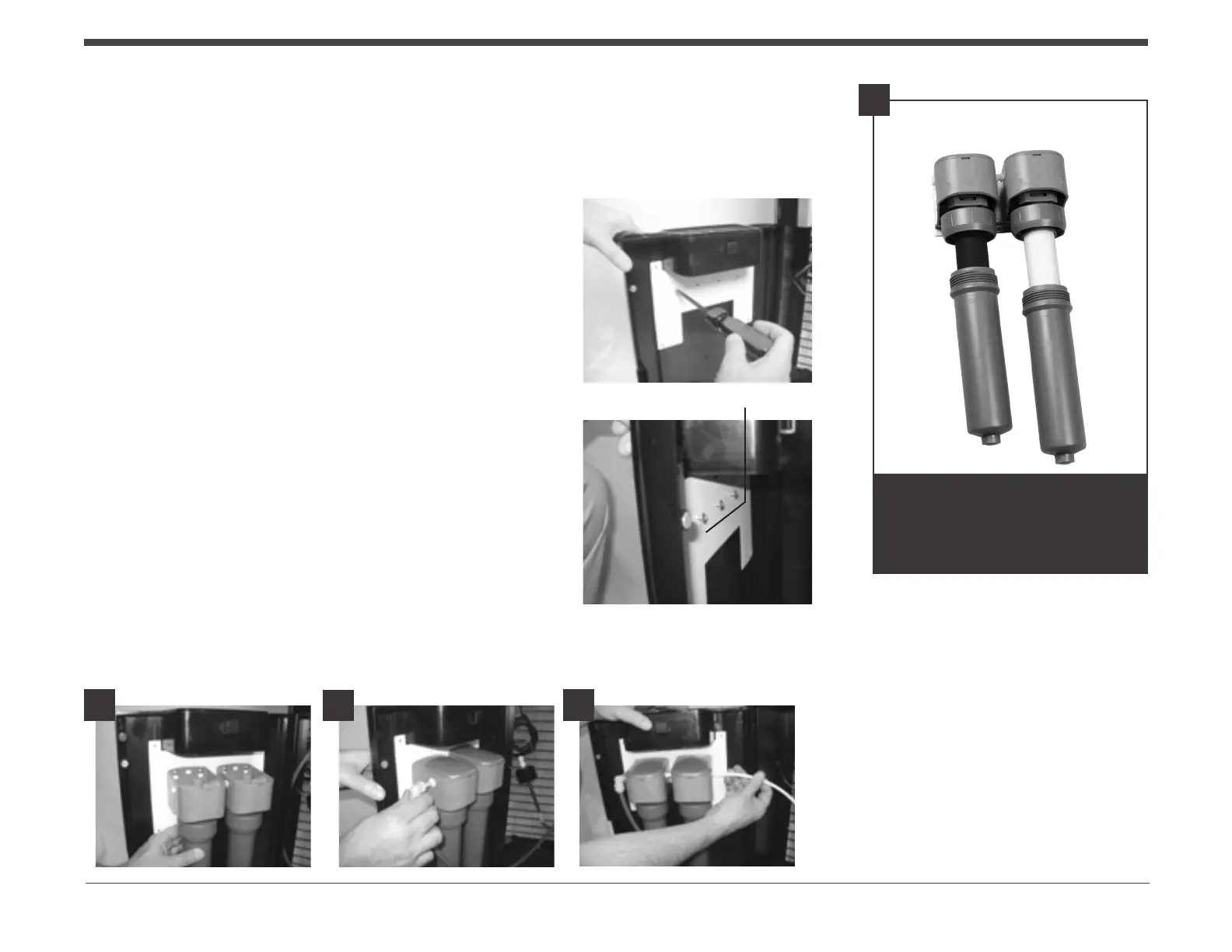
6. Assemblethelterasperindividualinstructions.
F - Filter set sold separately.
7. Thelterbrackethasseveralholepatternsto
accommodatedifferentltermountingcongurations.It
maybenecessarytoprovideyourownholesperyour
individuallterinstructions.Note:Mounting screws are
not included with your cooler.
8. Mountthelterstothelterbracketperindividual
instructionsasshowingureG.Note.Followanypre-
ushinstructionsthatweresuppliedwithyourlterset
beforemakeanyconnections.
9. Connectthewatersupplytubewith¼StemElbowto
theoutletsideofyourltersystemshowningureH.
Connectthe¼tube(suppliedwithyourcooler)tothe
inletsideofyourltersystemasshowningureI.
Filter Bracket
Installing and connecting Filters (OASIS Green Filter shown)
Oasis Green Filter
GreenFilterreplacementmedia
canbepurchasedonlineat:
www.oasiscoolers.com
www.oasislters.com
F
G
H
I
Mounting Screws
Page8 oasiscoolers.com


 To Next Page