EasyManua.ls Logo

Oberheim Matrix-1000 - Page 32

Oberheim Matrix-1000
64 pages
Print Icon
To Next Page IconTo Next Page
To Previous Page IconTo Previous Page
Loading...
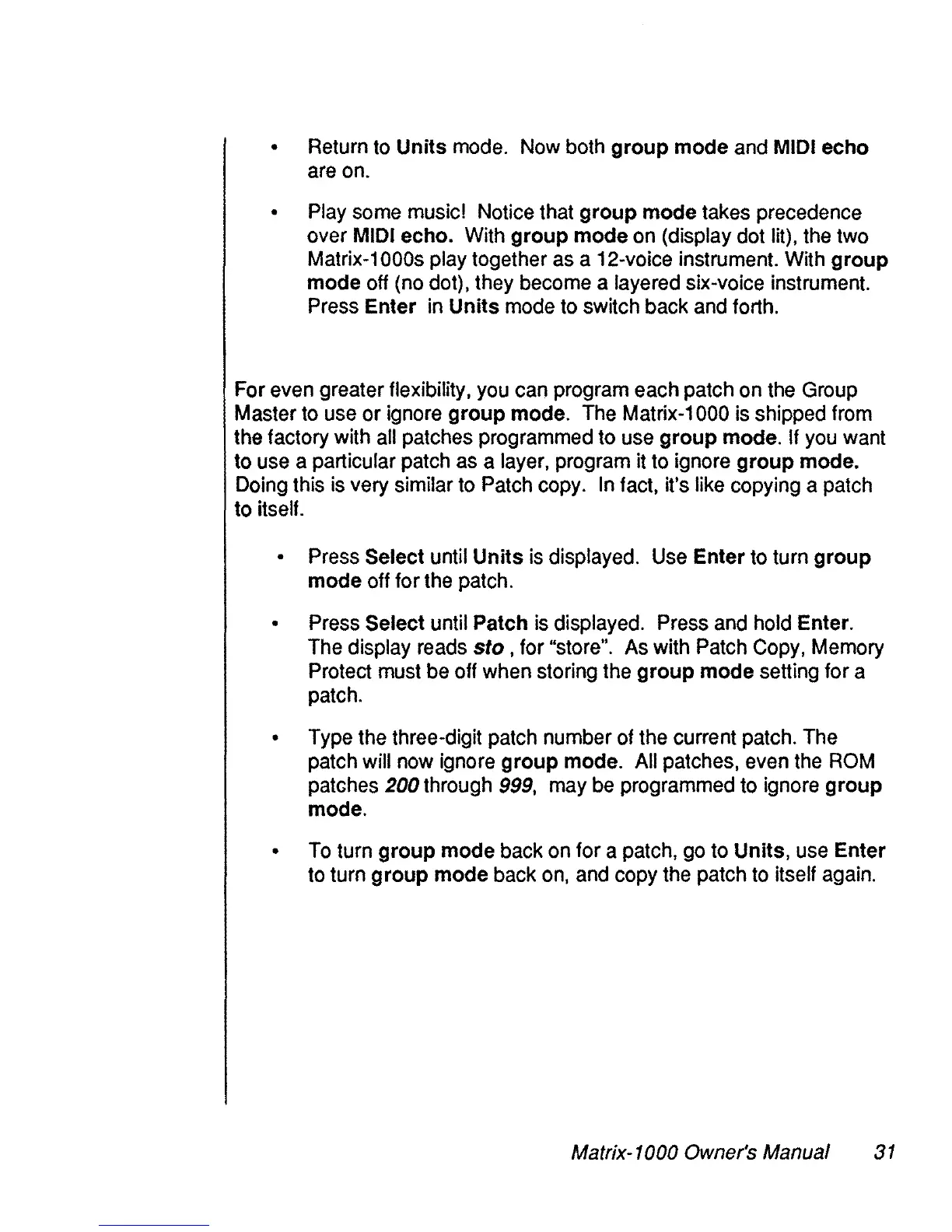
Return
to
Units
mode.
Now
both
group mode
and
MIDI
echo
are
on.
Play
sorne
music!
Notice that group mode takes precedence
over
MIDI
echo.
With
group mode
on
(display dot lit),
the
two
Matrix-1
OOOs
play together
as
a 12-voice instrument.
With
group
mode
off
(no
dot), they
become
a layered six-voice instrument.
Press
Enter
in
Units
mode
to
switch back
and
forth.
For
even
greater flexibility,
you
can
program each patch
on
the
Group
Master
to
use
or
ignore
group mode.
The
Matrix-1
000
is
shipped
from
the factory with
ail
patches programmed to
use
group mode.
If
you
want
to
use
a particular patch
as
a layer, program it
to
ignore group mode.
Doing
this
is
very similar
to
Patch
copy.
In
tact, it's
Iike
copying a patch
to itself.
Press
Select until Units
is
displayed.
Use
Enter
to
turn group
mode
off
for
the
patch.
Press
Select until Patch
is
displayed.
Press
and
hold
Enter.
The
display
reads
sto,
for "store".
As
with
Patch
Copy,
Memory
Proteet
must
be
off
when
storing
the
group mode setting for a
patch.
Type
the
three-digit patch number of
the
current patch.
The
patch will
now
ignore group mode.
Ali
patches,
even
the
ROM
patches 200 through
999,
may
be
programmed
to
ignore group
mode.
To
turn group mode
back
on
for a patch,
go
to Units,
use
Enter
to
turn group mode
back
on,
and
copy
the
patch
to
itself
again.
Matrix-1000 Owner's Manual
31