EasyManua.ls Logo

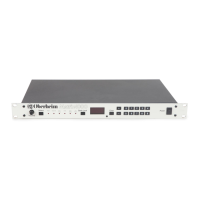
Oberheim Matrix-1000 - Adjust the Volume

Oberheim Matrix-1000
64 pages
Print Icon
To Next Page IconTo Next Page
To Previous Page IconTo Previous Page
Loading...
Guitar Controller
users
(andsome others)
may
wish
to
select
MONO
mode
(MIDI
mode
4).
This
provides
independent
pitch
bend
on
each
string.
When
the
display
reads
G1,
the
Matrix-1000
plays
in
MONO
mode
on
basic
channel
1.
c.
Select
Fine Tune,
and
use
the
+
and
-
keys
to
fine
tune
your
Matrix
-1000
to
the
other instruments in
your
system.
A display
value
of
0
is
the
center
of
the
range
(A=440
Hz).
The
remaining
modes
are
described
in
Chapter
4.
5.
BANK
LOCK
-
The
Matrix-1000's
patches
are
grouped
in
ten
banks
of
100
patches
each.
The
first digit
of
a
patch
number
is
the
bank
(0
through
9),
and
the
last
two
digits
are
the
location of
the
patch
within
that
bank
(00
through
99).
Bank Lock
lets
you
change
patches
within a bank by
typing
two digits
instead
of
three.
Select Patch
mode,
and
press
Bank Lock. A
dot
appears
between
the
first
and
second
display digits.
Now,
enter
two
digits
to
choose
any
patch
in
the
bank.
Change
banks
by
entering a digit
from
0 through 9
while holding down Bank Lock.
Press
Bank Lock
again
to
return
to
three-digit
patch
selection.
The
display
dot
disap-
pears.
6.
ADJUST
THE
VOLUME
-
The
Volume
knob
controls
the
volume
level
output
of
the
Matrix-1000.
These
brief
procedures
are
explained
in
detai!
throughout
the
rest
of
the
manu
al.
We
encourage
you
to
read
the
manual
in
its
entirety
if
you
would
Iike
to
learn
more
about
the
Matrix-1000.
8 Matrix-1000 Owner's Manual