9 10
Firmware upgrading Blue/yellow flash alternately
Firmware upgrade failed Red light flashes slowly
Indicator Description
Equipment Status Indicator status
Power-on initialization
Blue light flashes slowly
No target is selected Green light keeps on
Execute gesture control
The indicator for the current state blinks twice in
succession,it will either switch to the post-recogni-
tion indicator state upon successful recognition or
maintain the pre-recognition indicator state in case
of recognition failure
Enable human tracking Blue light keeps on
Target losing Yellow light keeps on
Enable group mode Purple light keeps on
Device in fault, such as
gimbal failure, AI errors,
etc.
Red light keeps on
Sleep mode Light off
Firmware Upgrade
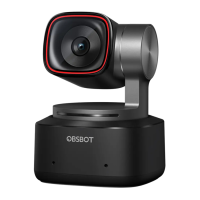
OBSBOT Tiny 2 Lite upgrades through OBSBOT Center software. When firmware is
available for update, there will be corresponding prompts after connecting the
device. Please follow the info on prompts.
⚠ Do not disconnect the camera during firmware upgrade process.
Download and Installation
Download and install OBSBOT Center through
https://www.obsbot.com/download to further enhance your user experience.
Software Overview
OBSBOT Tiny 2 Lite provides advanced users of Windows and Mac with a control
software for OBSBOT Center, which allows you to perform a series of extended
operations on the camera, such as controlling the motion trajectory of the pan-tilt,
selecting or canceling tracking targets, setting presets or expanding various creative
gameplay.
OBSBOT Center



 To Previous Page