Gesture Control
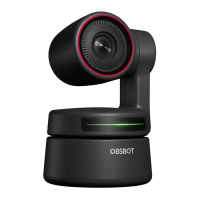
OBSBOT Tiny 4K has the first of the kind implementation of gesture control in AI webcam,
empowering users to access a series of functions such as select/cancel tracking target, zoom
in/out with natural simple gestures. No need to press the button or interrupt your flow.
First of all, please put your hand nearby your face and keep your fingers splay out when you
making gestures, and then the camera indicator light will turn blue. The three blue lights
flash one by one and then all of them flash once together means your gesture is recognized
successfully.
⚠ Please go to the link below to find the tutorial video for gesture control:
https://obsbot.com/obsbot-tiny-4k/explore
Zoom
OBSBOT Tiny 4K supports 4x digital zoom.
① Gesture Control
By default, the zoom settings is 2x. Users can create customized zoom settings from 1x to
4x via OBSBOT TinyCam.
② Manual Control
Users can do the manual control for zoom settings from 1x to 4x via OBSBOT TinyCam.
Focus
OBSBOT Tiny 4K supports two focusing methods.
① Auto-Focus
Based on OBSBOT’s AI technology, the auto-focus intelligently adjusts the lens in real-time
Select/Cancel Target 2x (Default) Zoom in/out
6
EN


 To Next Page