The OMC-183-ML is a signal conditioning unit designed to read multiple sensors and multiplex their signals into a serial output. It does not log or store data. While it can be used in various applications, this manual primarily focuses on its use in meteorological applications. The device is intended for indoor use and is typically factory-configured for specific applications, requiring minimal changes beyond optional user settings.
Function Description:
The OMC-183-ML acts as a central hub for various meteorological sensors, converting their raw signals into a standardized serial format. It supports a wide range of input types, including voltage (0-5Vdc) and current (0-24mA) for analog sensors, and NMEA inputs for wind sensors. The unit then outputs this multiplexed data via RS-422 serial communication, using either the NMEA data protocol or the older OMC-2900 format for backward compatibility. A bi-directional RS-232 menu is also available for analog input calibration and other configuration settings.
Important Technical Specifications:
The OMC-183-ML hardware design includes several input options. Up to four analog inputs can be selected simultaneously from the following list:
- 0-5Vdc IN 1, 2, 3, 4: For voltage-based sensors.
- 0-24mA IN 1, 2, 3: For current-based sensors.
- NMEA1 IN: For Wind sensor 1.
- NMEA2 IN: For Wind sensor 2.
Outputs:
- NMEA OUT: RS422 with NMEA protocol.
- NMEA Return: RS422 with OMC-2900 format.
- RS232 TX/RX: Primarily used for firmware upgrades and configuration. For backward compatibility, OMC-2900 output is also available via RS232 after changing user settings. The current loop (CL) output functionality is no longer present in this new hardware design.
Power Supply:
- VIN [12-24VDC] IN (Pin 2).
Supported Sensors and Connections:
The OMC-183-ML supports a variety of Observator Instruments sensors:
-
OMC-160 Wind Sensors (NMEA): Cup & Vane wind sensor with standardized RS-422 NMEA output. Up to two sensors can be connected. The optional heater for the OMC-160 requires a separate power supply.
- OMC-183-ML Pins: GND [SUP] (9, 13), SUPPLY (10, 14), NMEA1_IN_A (11, 15), NMEA1_IN_B (12, 16).
- OMC-160 Pins: Power GND (1), Power 12-24V (2), RS422 - out (10), RS422 + out (9).
- Recommended cable: shielded 2x2x0.75mm2 twisted pair.
-
OMC-116 Wind Sensors (NMEA): Ultrasonic wind sensor with standardized RS-422 NMEA output. Up to two sensors can be connected.
- OMC-183-ML Pins: GND [SUP] (9, 13), SUPPLY (10, 14), NMEA1_IN_A (11, 15), NMEA1_IN_B (12, 16).
- OMC-116 Pins: Power GND (1), Power 12-24V (2), NMEA 0183 A (4), NMEA 0183 B (3).
- Recommended cable: shielded 2x2x0.75mm2 twisted pair.
-
OMC-118 Ultrasonic Wind Sensor (RS422 NMEA):
- OMC-183-ML Pins: GND [SUP] (13), SUPPLY (14), NMEA1_IN_A (15), NMEA1_IN_B (16).
- OMC-118 Wires: Black (3) for POWER SUPPLY V- (GND), Red (4) for POWER SUPPLY V+ (12-24V), Black (5) for RS 422 TXA (-), Green (6) for RS 422 TXB (+).
- Recommended cable: shielded 2x2x0.75mm2 twisted pair.
- Wires of OMC-118 come in pairs; ensure correct black wires are used. The junction box is part of the optional bracket OMC-122(-M).
-
OMC-150/158 EEx Wind Sensor: The new OMC-158-2 with RS-422 NMEA output is compatible, with wiring similar to the OMC-160. The old OMC-158 is not compatible.
-
OIC-406 Temperature & Humidity Sensor (NMEA): NMEA output. Connects to NMEA1 IN or NMEA2 IN.
- OMC-183-ML Pins: GND [SUP] (13), SUPPLY (14), NMEA2_IN_A (15), NMEA2_IN_B (16).
- OIC-406 Pins: GND [SUP] (1), SUPPLY (2), NMEA_OUT_A (3), NMEA_OUT_B (4).
-
OMC-406 Temperature & Humidity Sensor (4-20mA): Less accurate, with two 4-20mA analog outputs. Connects to analog current input ports (e.g., current inputs 2 & 3).
- OMC-183-ML Pins: GND (62), SUPPLY (61), 0-24 mA INPUT 2 (60), 0-24 mA INPUT 3 (63).
- OMC-406 Wires: Yellow for Power GND, Green for Power +24V, Brown for 4-20mA out (temperature), White for 4-20mA out (humidity).
- Recommended cable: shielded 2x2x0.75mm2 twisted pair.
-
OMC-506 Single Barometric Pressure Sensor (4-20mA):
- OMC-183-ML Pins: GND [SUP] (26), SUPPLY (27), 0-24mA_IN_1 (28).
- OMC-506 Pins: Black (2) for Power 12-24V, White (1) for 4-20 mA out.
- Recommended cable: shielded 2x0.75mm2 twisted pair.
- Can be built into the OMC-183-ML housing. If built-in, it must be vented outside via a tube, especially if the room is pressurized. An OMC-509 pressure head at the outdoor end of the tube is recommended.
-
OMC-9501 Barometric Pressure Sensor(s) (0 - 2.5V / 0-5V):
- OMC-183-ML Pins: V_IN (66), GND (67), SUPPLY (68).
- OMC-9501 Pins: VOUT (69), GND (70), AGND (70), TRIG (68), Supply (68).
- The OMC-183-ML supports a maximum of two barometric sensors (either current or voltage).
-
OMC-443 Temperature Sensor (4-20mA): Loop-powered 4-20mA sensor.
- OMC-183-ML Pins: SUPPLY (27), 0-24 mA INPUT 2 (28).
- OMC-406 NMEA: Power +24V, 4-20mA out (Air temperature).
- Recommended cable: shielded 2x0.75mm2 twisted pair.
-
OMC-938/939 Display (RS422 / OMC-2900): Usually connected to the RS422 output.
- OMC-183-ML Pins: GND [SUP] (1), VIN [12-24VDC] (2), NMEA_RTRN_A (6), NMEA_RTRN_B (7), SHIELD (8).
- OMC-938 Pins: POWER SUPPLY V- (GND) (1), POWER SUPPLY V+ (12-24V) (2), RS 422 TXA (-) (3), RS 422 TXB (+) (4).
- Recommended cable: shielded 2x0.75mm2 twisted pair.
- The OMC-183-ML no longer offers current loop output for the display; reconfigure the OMC-938/9 to RS422 if needed.
Usage Features:
- Commissioning: The device uses RS-422 serial communication for two output options: NMEA data protocol and OMC-2900 format. A bi-directional RS-232 menu is available for configuration and calibration.
- PC/Laptop Connection: An additional Serial to USB adapter is typically needed. Terminal programs like HyperTerminal or OMC-Terminal can be used.
- Default Data Settings:
- NMEA OUT (Connector pins 1-4, Interface RS-422): 4800 (or 9600) baud, 8 data bits, No parity, 1 stop bit.
- OMC-2900 OUT (Connector pins 6-7, Interface RS-422): 4800 baud, 8 data bits, No parity, 1 stop bit.
- Interface (Connector pins 17-20, Interface RS-232): 115200 (or 4800/9600) baud, 8 data bits, No parity, 1 stop bit.
- No Flow Control is required.
- Device Status LEDs: Six LEDs on the bottom right corner of the PCB indicate device status:
- Orange LED: Microcontroller powered.
- Red LED: Bus overflow (blinks if too much data input, potentially leading to lost messages).
- Green LEDs (4): Indicate valid messages received for Serial, NMEA out, NMEA in 2, and NMEA in 1 inputs. These LEDs blink when compliant NMEA messages or valid RS-485/RS-232 sensor messages are received.
- User Settings QNH & QFE: Essential for helideck or runway monitoring.
- QNH: Barometric pressure at sea level.
- QFE: Barometric pressure at helideck/runway level.
- Requires input of:
- S1: Height of the barometric sensor above the helideck (negative if below).
- S2: Height of the helideck above sea level (negative if runway is below sea level).
- Always use the height of the barometric sensor itself, even if a pressure head (OMC-509) is used.
- Dual Barometric Sensors (CAP-437 Compliance): Supports a minimum of two barometric sensors at the same location. If the difference between the two sensors exceeds 0.5 hPa, no barometric data will be presented, and no messages will be sent.
- OMC-2900 Status Messages for Barometric Sensors:
- S0 = Normal operation of dual barometric sensors.
- S1 = Sensor 1 error or out of range.
- S2 = Sensor 2 error or out of range.
- S3 = Sensor 1 or 2 error or both out of range.
- S4 = Maximum deviation of barometric pressure > default 0.5.
- Menu Structure (via RS-232): Access by typing "menu".
- Input Configuration (0-6): Assigns functionality to 0-20mA and 0-5V inputs (e.g., Baro sensor, Air temperature, Humidity).
- Important: Do not assign more than two barometric sensors (current or voltage) to avoid unpredictable behavior.
- Calculation Settings (7): Configures parameters for QNH/QFE calculation and status settings (Barometer height above runway, Runway elevation above sea level, Lower/Upper threshold barometric pressure, Maximum deviation barometric pressure, Wind sensor offset).
- Configure Baudrates (8): Sets baud rates for NMEA INPUT, NMEA OUTPUT, and RS-232 OUTPUT. Changes require saving and exiting the menu, and a device reboot.
- OMC-2900 Output over RS-232 (9): Enables/disables OMC-2900 output via RS-232.
- Calibration (A-D): For analog inputs (0-24mA and 0-5V). Requires calibrated equipment to present correct current/voltage values.
- Show Analog Calibration Values (E): Displays stored calibration values for current and voltage inputs.
- Save and Exit Menu (Q): Essential to save any changes; otherwise, they will be lost upon power-off.
Maintenance Features:
- Firmware Upgrade: The RS232 TX/RX ports are used for firmware upgrades.
- Configuration: The RS232 TX/RX ports are used for device configuration.
- Calibration: Analog inputs can be recalibrated using commands A-D via the RS-232 menu. This is typically done after assembly.
- Troubleshooting: If connection difficulties arise, check LED blinking, wiring (Tx/Rx or A/B wires), and COM port data settings.
- Note: The RJ-45 / Ethernet option is not active on the OMC-183-ML, and its LEDs are switched off.

 Need help?
 General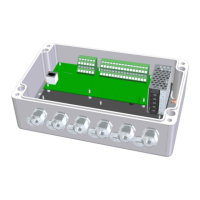

 To Next Page