4
Warning
1. Unboxing: Open the package and check if the
accessories are complete. Package included: 1 x
Barcode Scanner, 1 x 2.4G USB Receiver, 1 x USB
Charging Cable, 1 x Manual. If there is any
questions, please contact us at the first time.
(email: )support@obzshop.com
2. Charging: LED1 green light always on; When
charging is complete, LED1 off.
3. Do not scan the setting barcodes in the manual
without instruction, it may cause barcode scanner
not work properly.
4. Some symbologies are not enabled by default, if
you have request on this, you can find it on user
manual “Barcode Settings” to enable it. For more
barcodes not available in the user manual, please
contact us for help.
Continue to the table
Lithium Battery
Charging Time
Battery Working
Shock Resistance
Operating Humidity
Withstand multiple 3 meters free fall
5%-95% RH without condensation
800mA
2.5h
4h
-20℃~50℃
Operating Temperature
Storage Temperature
-40℃~70℃
Working Voltage
DC 5V±5%
Working Current
280mA
Connection Ways
System Compatibility
Material
Interface
ABS+PC
USB-HID
iOS, Android, Windows, Linux
Bluetooth; 2.4Ghz Wireless
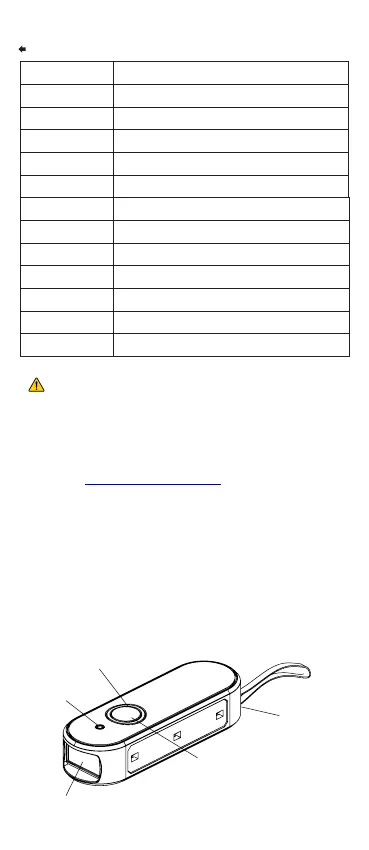
Scan Window
Power Port
LED 2
LED 1
Trigger Button



 To Next Page