Front
Back
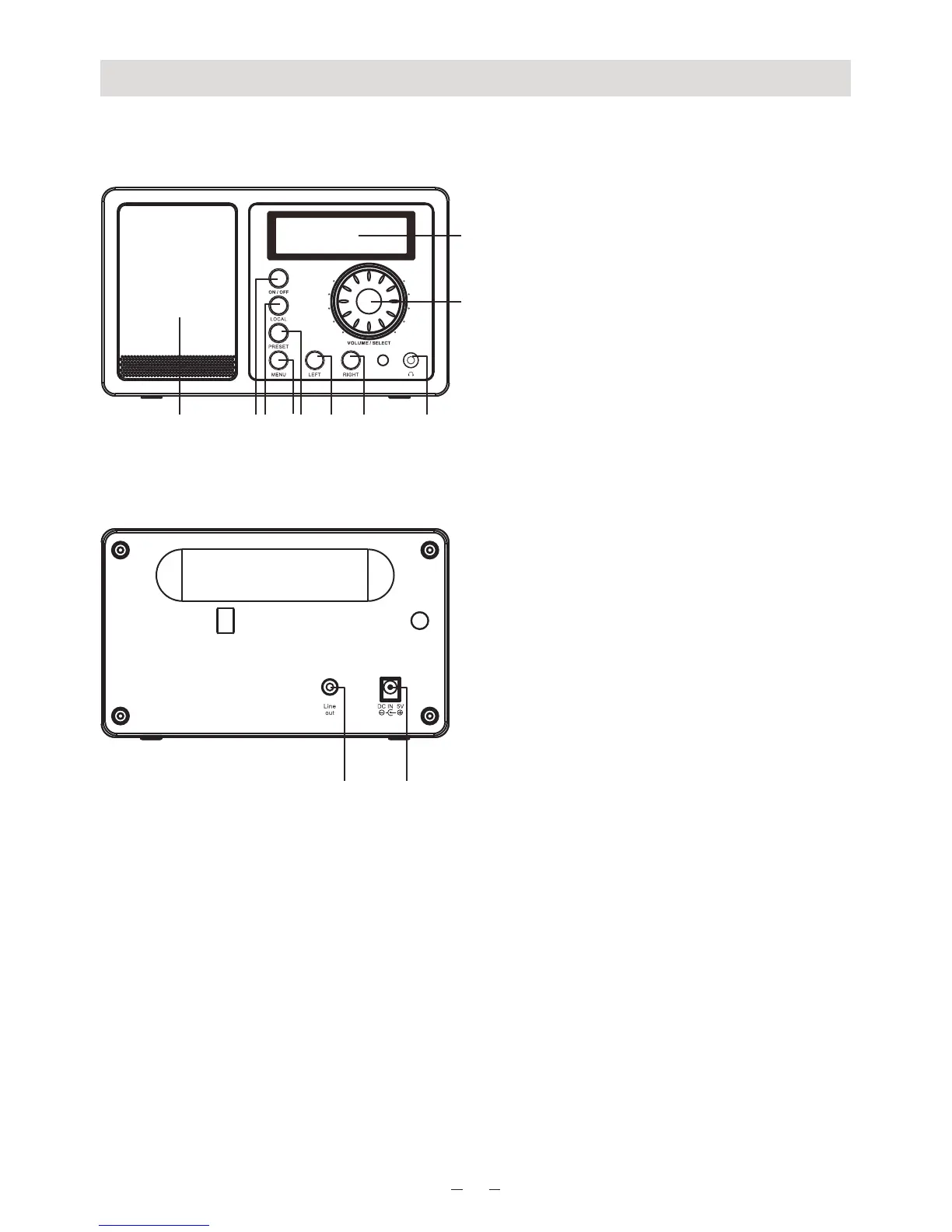
Location of Controls
1. LCD Display
2. Dial Control
- Rotate the dial to adjust volume level
Adjust LCD backlight level under
Standby
Push the dial to confirm / select
menu options
- Push to stop/resume playback of the
radio
3. Speaker
4. On/off
- Press to power on/ Standby
5. Local
- Quick access the local stations in
your country
6. Menu
- Press to enter menu
7. Preset
- Long press to store the station to
Favorite list
- Press briefly to recall the favorite
station
8. Left
- Back to previous menu
- Left cursor
9. Right
- Right cursor
- Enter edit menu under Favorite list
10. Earphone jack
11. Line Out jack
12. DC IN jack
-
1
1
2
3 4 5 6 7 8 9 10
11 12


 To Next Page
 Loading...











