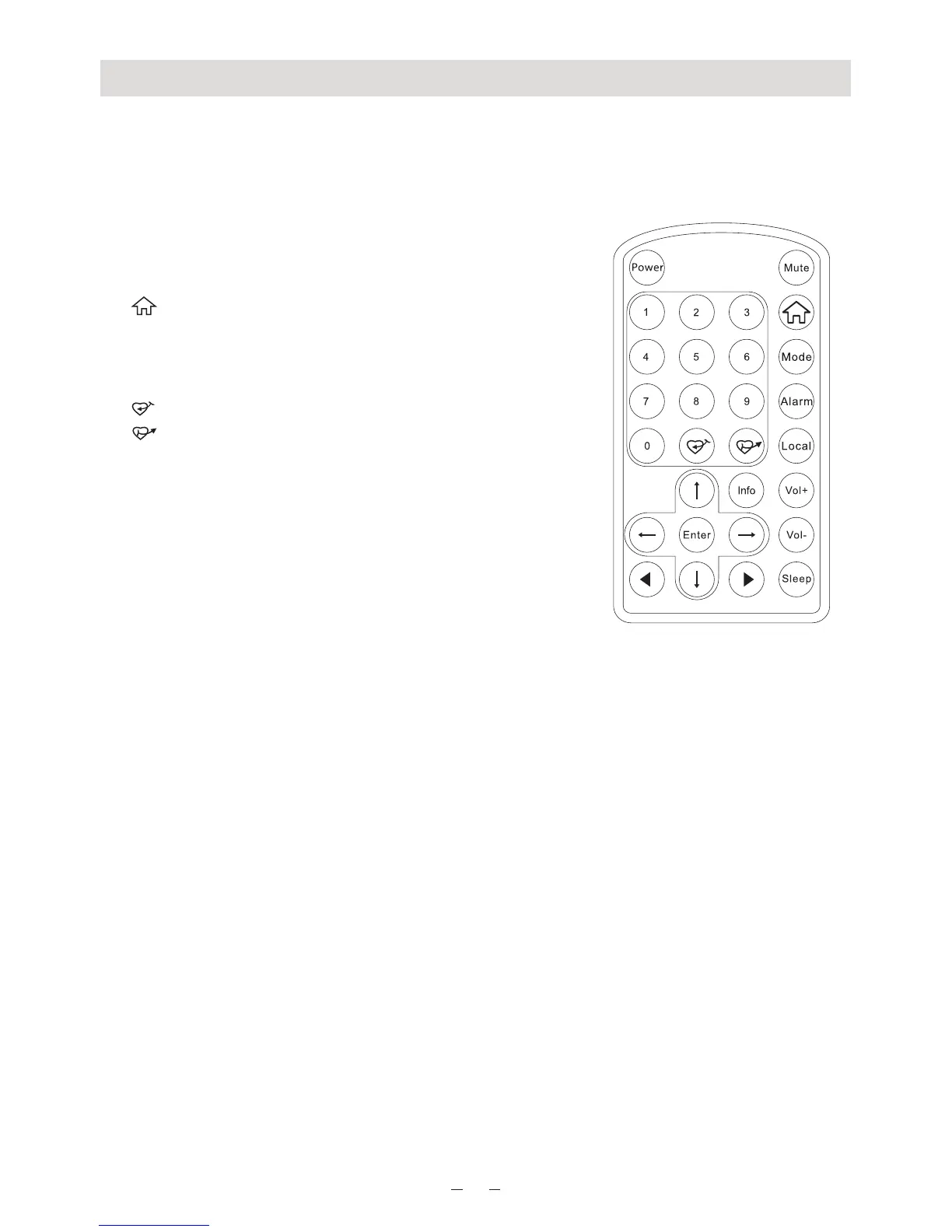
Remote Control
2
1. Power: Standby on/off
2. Mute: Speaker on/off
3. 0-9: Input numbers for encryption code, recall
favorite stations, enter index number to select
item from the list
Toggle the same numeric key gives you a
choiceto input letters
4. : Return to Main Menu
5. Mode: Switch between Internet radio and Media
Centre
6. Alarm: Alarm Setting
7. : Preset the current playing station to Favorite
8. : Recall the favorite station
9. Local: Access radio stations in your local country
10. Cursor up
11. $Cursor down
12. Cursor left/Back
13. Cursor right
14. Info: Access the network and system information
15. Enter: Confirm selection
16. : Next (next item in the list: next station, next
track)
17. : Previous (Previous item in the list: previous
station, previous track)
18. Volume +: Increase volume
19. Volume -: Decrease volume
20. Sleep: Sleep Timer setting
#:
:
! :
":















 To Next Page