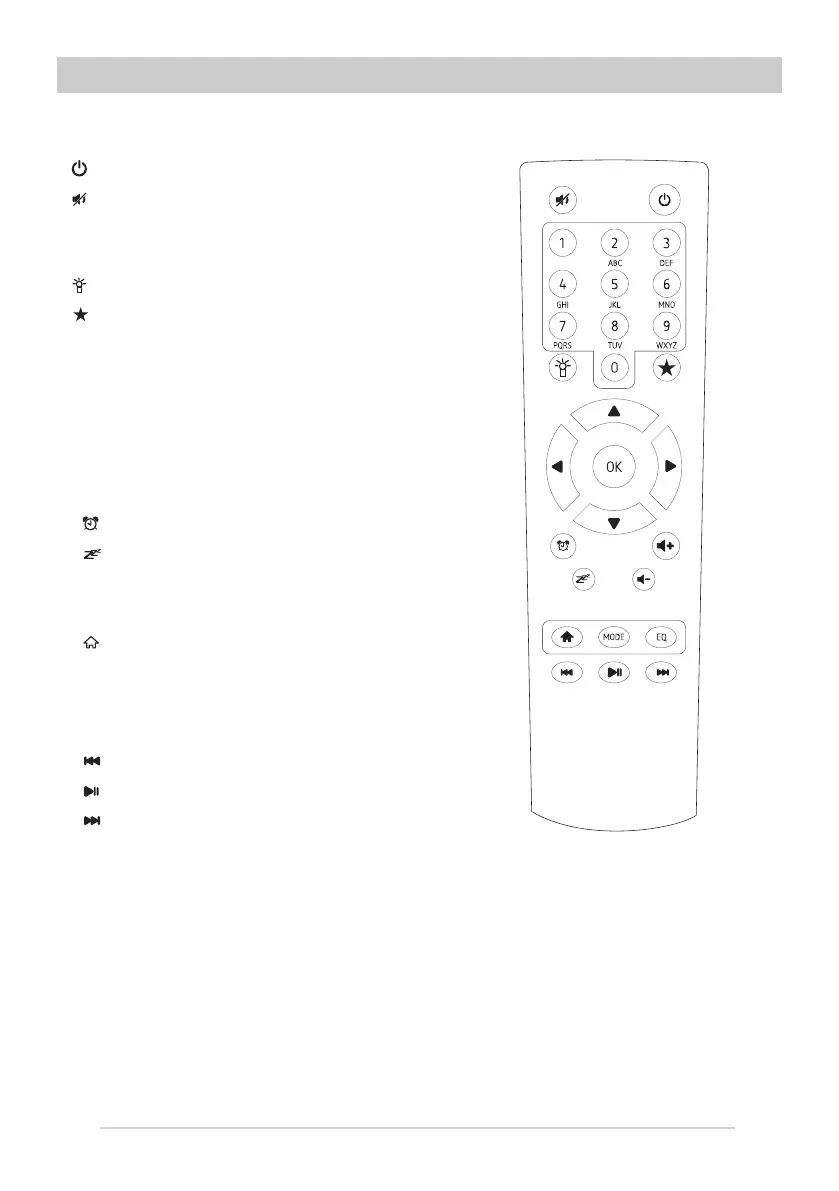
Remote Control
3
1. : Standby button
2. : Mute
3. 0-9: Favorite station key / input letters and
numbers for WiFi Encryption code
4. :Dim the display
5. : Favorite button, adding station to your
favorite list
6.▲: Cursor up
7.▼: Cursor down
8.t : Cursor left / back to previous menu
9.u : Cursor right
10.OK: confirm button
11. : Alarm button
12. : Sleep Timer
13.Vol+: Volume up
14.Vol-: Volume down
15. : Main Menu
16.Mode: Switch between Internet radio,
Media Center (UPnP)
17.EQ: Equalizer
18. :Previous song (for UPnP)
19. : Play/pause (for UPnP)
20. : Next song (for UPnP)















 To Next Page