- 23 -
Have your smart phone connected to the Wi-Fi network
which the radio will be connected to.
It is recommended to place the radio within 2 meters
from the router for better successful rate.
Follow the steps below:
1. On the radio, navigate to Configuration > Network >
Add/Remove AP > Add AP (SmartConfig), press OK to
confirm
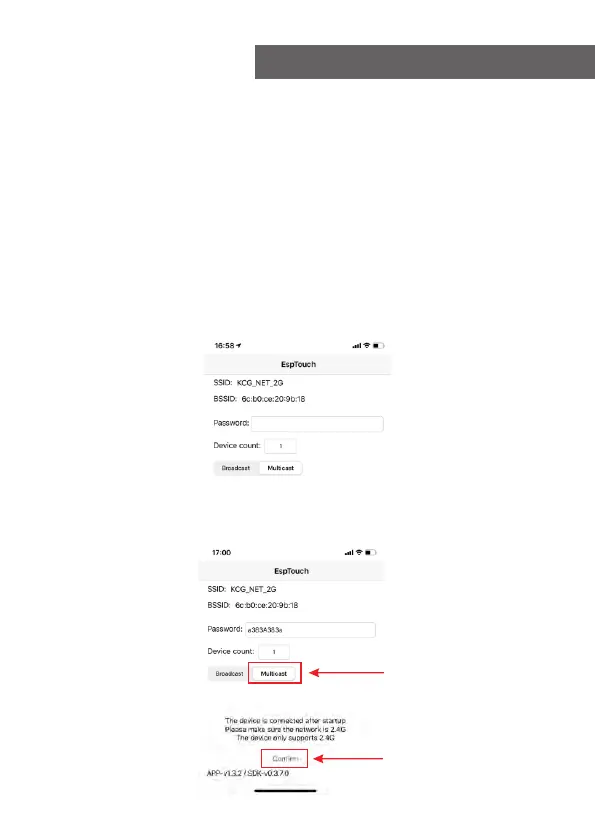
2. Launch the App on your smart phone
3. The name of of the SSID (your Wi-Fi network) will
show up as follow:
4. Enter the password of your network.
5. Tap "Multicast" followed by "Confirm" to complete.
10. Configuration
1
2















 To Next Page