SELECT
Alarm
Sleep
Vol- Vol+
►
►
►
►
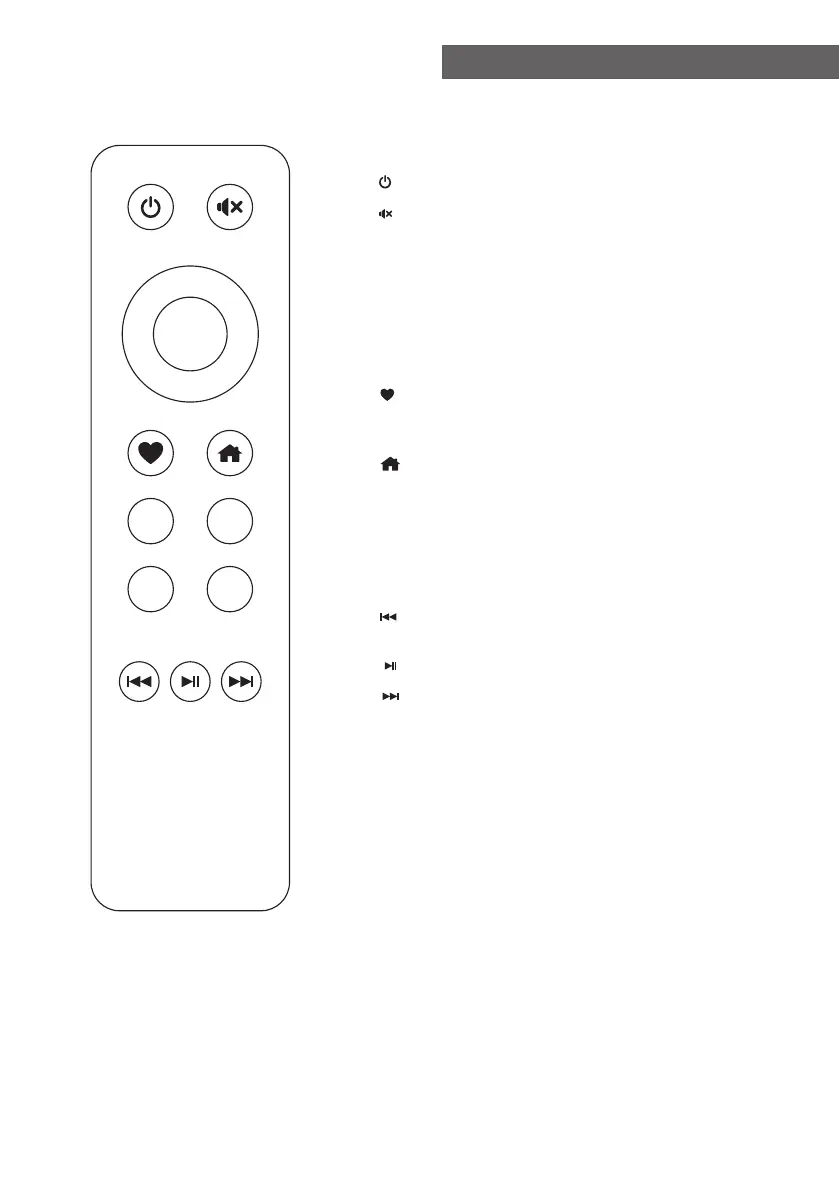
1. : Standby button
2. : Mute
3. ▲ : Cursor up
4. ▼ : Cursor down
5. ◄ : Cursor left / back to previous menu
6. ► : Cursor right
7. SELECT: confirm button
8. : Favorite button, press to recall the favorite
stations, hold to enter the "Add to
favourite" list
9. : Main menu
10. Alarm: Alarm button, press to set the alarm
11. Sleep: Sleep Timer, press to set the sleep time
12. Vol+: Volume up
13. Vol-: Volume down
14. : Previous radio channel on the list /
previous song on UPnP
15. : Play/pause (for UPnP)
16. : Next radio channel on the list / next song
on UPnP
Remote Control
- 02 -















 To Next Page