16
ATR
O
2
N
2
SMARTGLO
®
BACKLIGHT
To activate the Backlight - press the Right (Select) button.
The Smart Glo
®
feature senses the intensity of natural light
present. If a low level of light is present, the Backlight will
activate and illuminate the display for button depression
time plus the user set additional Duration time (3 or 7
seconds).
Press the button again to activate as desired.
NOTE: Extensive use of the Backlight reduces
estimated Battery life. Also, the Backlight does not
operate during a Low Battery Condition or when
downloading data to a PC.
POWER SUPPLY
The Pro Plus 2 utilizes one (1) 3 volt, CR2 Lithium Battery that
should provide from 50 dive hours of operation, if you con-
duct 1 - one hour dive each time the unit is activated, to over
150 dive hours of operation, if you conduct 3 or more one
dives each time the unit is activated.
Battery Indicator
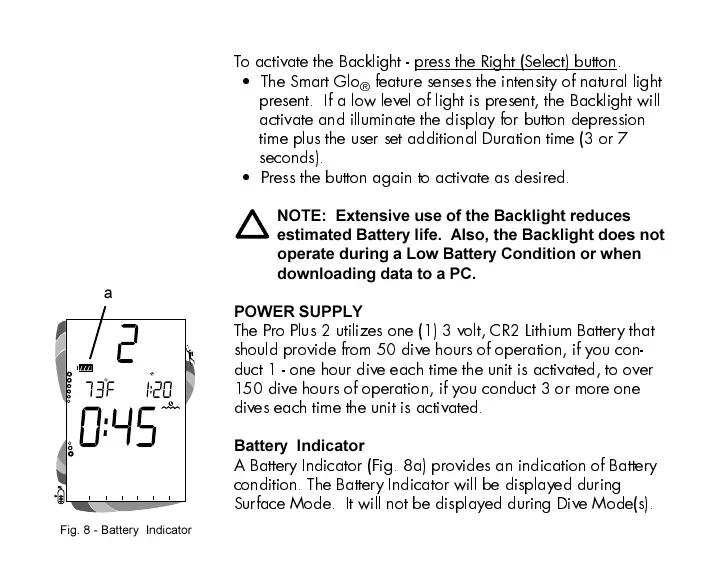
A Battery Indicator (Fig. 8a) provides an indication of Battery
condition. The Battery Indicator will be displayed during
Surface Mode. It will not be displayed during Dive Mode(s).
Fig. 8 - Battery Indicator
a













 To Next Page