44
ATR
O
2
N
2
TO SET - WATER ACTIVATION
(while in the Surface Mode)
Factory set for ON, the Water Activation feature can also be
set for OFF (disabled) to prevent inadvertent activation during
travel or storage. When set ON, the Pro Plus 2 will automati-
cally Activate when immersed in water.
Press Both buttons simultaneously, release when SET: 2
appears (4 seconds).
Press and release the Left (Advance) button, the Units
screen appears with the set point flashing.
Press the Left (Advance) button
18 more times
(14 more times after a dive in Digital Gauge Mode).
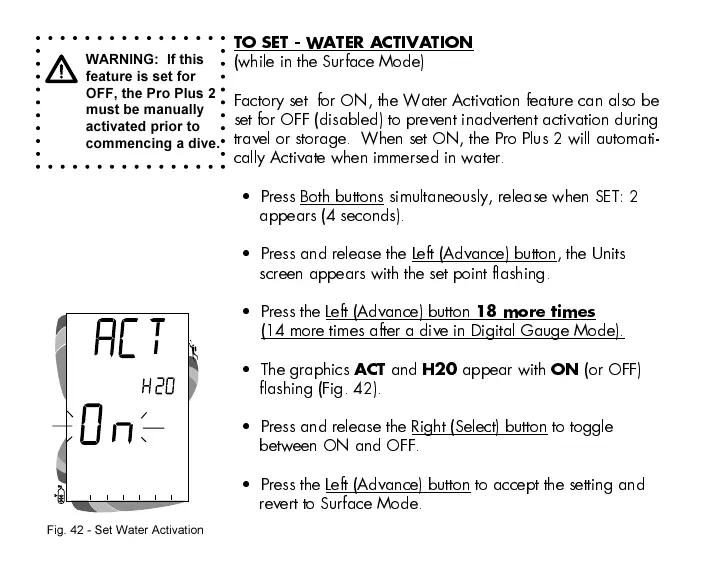
The graphics
ACT
and
H20
appear with
ON
(or OFF)
flashing (Fig. 42).
Press and release the Right (Select) button to toggle
between ON and OFF.
Press the Left (Advance) button to accept the setting and
revert to Surface Mode.
WARNING: If this
feature is set for
OFF, the Pro Plus 2
must be manually
activated prior to
commencing a dive.
Fig. 42 - Set Water Activation













 To Next Page