42
ATR
O
2
N
2
TO SET - PC SAMPLING RATE
(while in the Surface Mode)
Factory set at 15 seconds, the Sampling Rate can be set at
values of 2, 15, 30, or 60 seconds, or 2, 5, or 10 feet (.5,
1.5, or 3 meters).
Press Both buttons simultaneously, release when SET: 2
appears (4 seconds).
Press and release the Left (Advance) button, the Units
screen appears with the set point flashing.
Press the Left (Advance) button
16 more times.
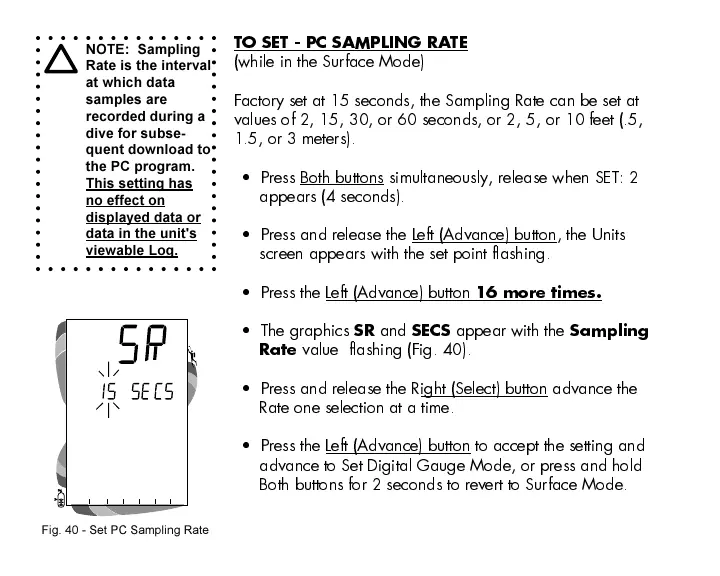
The graphics
SR
and
SECS
appear with the
Sampling
Rate
value flashing (Fig. 40).
Press and release the Right (Select) button advance the
Rate one selection at a time.
Press the Left (Advance) button to accept the setting and
advance to Set Digital Gauge Mode, or press and hold
Both buttons for 2 seconds to revert to Surface Mode.
NOTE: Sampling
Rate is the interval
at which data
samples are
recorded during a
dive for subse-
quent download to
the PC program.
This setting has
no effect on
displayed data or
data in the unit's
viewable Log.
Fig. 40 - Set PC Sampling Rate













 To Next Page