73
WET CONTACTS
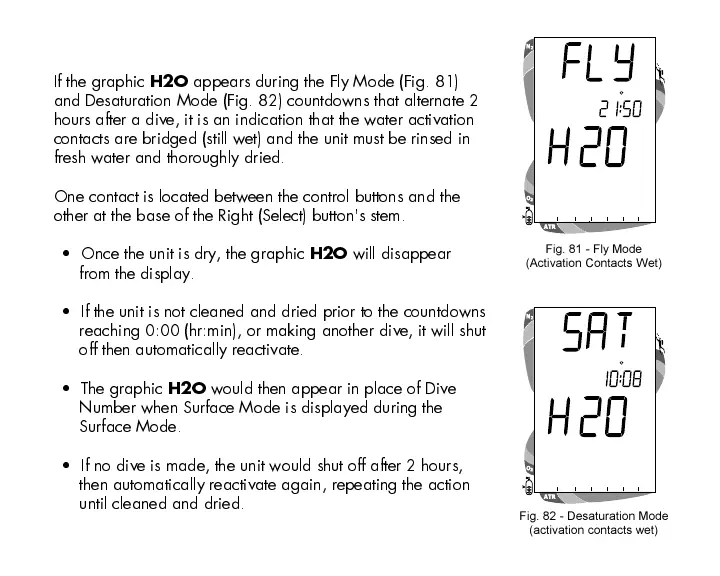
If the graphic
H2O
appears during the Fly Mode (Fig. 81)
and Desaturation Mode (Fig. 82) countdowns that alternate 2
hours after a dive, it is an indication that the water activation
contacts are bridged (still wet) and the unit must be rinsed in
fresh water and thoroughly dried.
One contact is located between the control buttons and the
other at the base of the Right (Select) button's stem.
Once the unit is dry, the graphic
H2O
will disappear
from the display.
If the unit is not cleaned and dried prior to the countdowns
reaching 0:00 (hr:min), or making another dive, it will shut
off then automatically reactivate.
The graphic
H2O
would then appear in place of Dive
Number when Surface Mode is displayed during the
Surface Mode.
If no dive is made, the unit would shut off after 2 hours,
then automatically reactivate again, repeating the action
until cleaned and dried.
Fig. 82 - Desaturation Mode
(activation contacts wet)
Fig. 81 - Fly Mode
(Activation Contacts Wet)













 To Next Page