81
Surfacing from a Simulated Dive
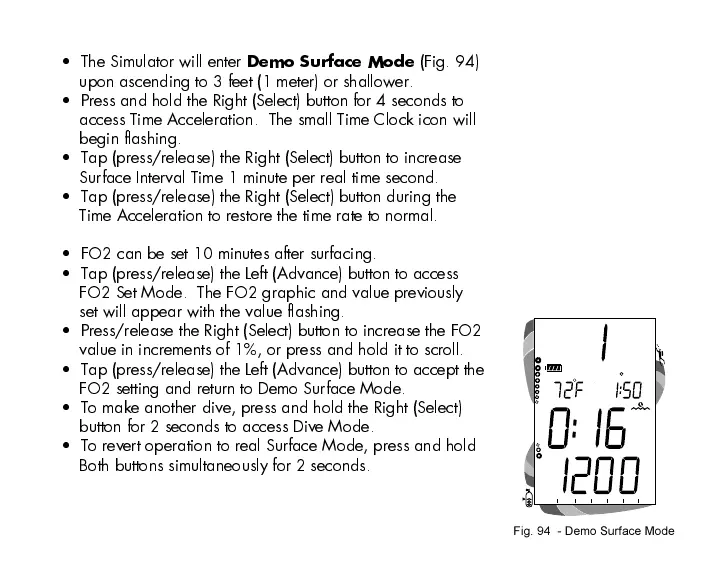
The Simulator will enter
Demo Surface Mode
(Fig. 94)
upon ascending to 3 feet (1 meter) or shallower.
Press and hold the Right (Select) button for 4 seconds to
access Time Acceleration. The small Time Clock icon will
begin flashing.
Tap (press/release) the Right (Select) button to increase
Surface Interval Time 1 minute per real time second.
Tap (press/release) the Right (Select) button during the
Time Acceleration to restore the time rate to normal.
FO2 can be set 10 minutes after surfacing.
Tap (press/release) the Left (Advance) button to access
FO2 Set Mode. The FO2 graphic and value previously
set will appear with the value flashing.
Press/release the Right (Select) button to increase the FO2
value in increments of 1%, or press and hold it to scroll.
Tap (press/release) the Left (Advance) button to accept the
FO2 setting and return to Demo Surface Mode.
To make another dive, press and hold the Right (Select)
button for 2 seconds to access Dive Mode.
To revert operation to real Surface Mode, press and hold
Both buttons simultaneously for 2 seconds.
Fig. 94 - Demo Surface Mode













 To Next Page