OUTPUT RESISTANCE
Adjusting the output resistance
21
OUTPUT RESISTANCE
Adjusting the output resistance
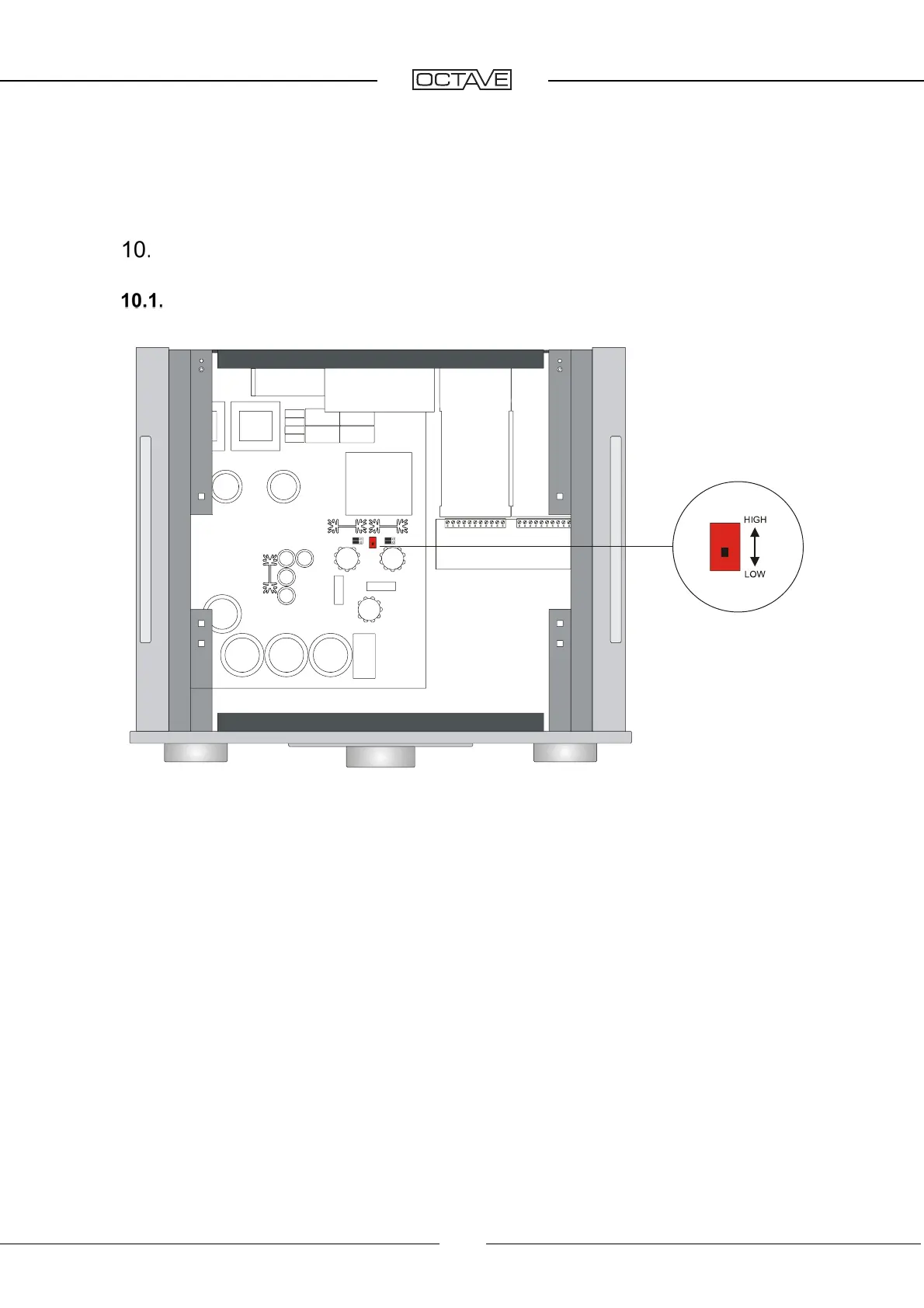
To change the output resistance of the line stage, set the resistance switch to LOW (100 ohm) or
HIGH (300 ohm).
This allows you to adapt the preamplifier to the properties of the signal cable and the input resistance
of the power amplifier. For power amplifiers with an input resistance under 10 kohm and cable lengths
of 3 m and upward, select the setting LOW.
The output resistance influences the sound quality significantly. In the LOW setting, the sound pro-
duction is very direct and contoured due to the line stage’s higher capacity to supply power.
The setting primarily affects the RCA output; the XLR output is sufficiently low-resistance at
150 ohms.
The factory setting for the resistance switch is LOW.
Resistance selector switch


 To Next Page
 Loading...