ODYS Slim X6
10
EN
4.2 Using the mode buttons
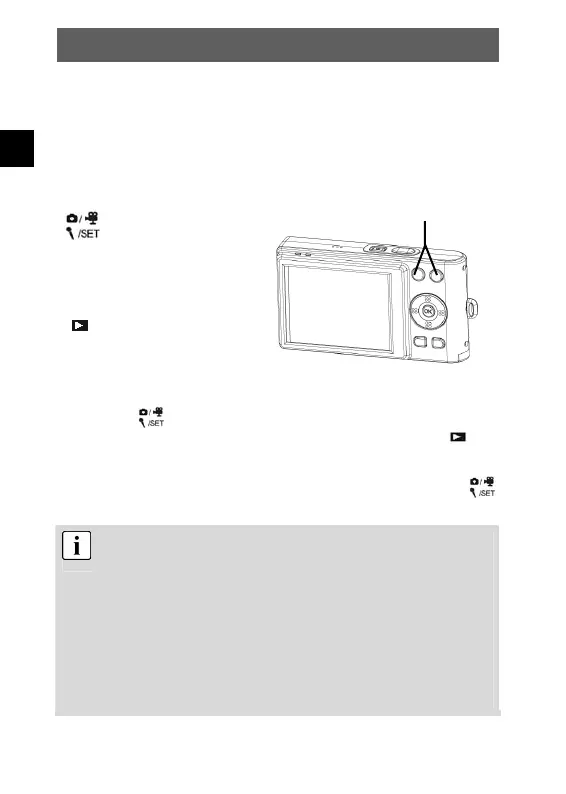
The camera features five operating modes. If there is no USB
connection to the computer, the camera automatically activates Photo
mode when switched on. Press the following mode buttons to select
the required mode.
Selects the
photography, Video,
sound recording and
setting mode
Play mode
You can activate four different operating modes successively by
pressing the
button repeatedly. In Photo mode, you can access
Video mode, Sound Recording mode and Setting mode. Press
to
access Playback mode.
When the camera is in Setting mode or Playback mode, press the
button to return to Photo mode.
If your camera is connected to a computer via USB and its
driver set to MASS, the camera will automatically switch to PC
MASS mode. PC MASS mode deactivates all mode buttons. If
you want to return to Photo mode, press the menu button and
set the driver type to TWAIN. Pressing the menu button again
reactivates PC MASS mode (see chap. 5.10; for further details
on PC connections see chap. 6 and 7).
If the camera is not connected to a computer by USB, you can
set the desired driver type in the configuration menu from any
mode you like (see chap. 5.10).
Mode buttons



 To Next Page