35EcoComfort
. Operating modesSetting the operating mode
By pressing button , the set value is reduced by an hour, by
pressing button , it is increased by an hour. After the adjustment,
press button twice for seconds and the setting option for
minutes is available (LED is on). By pressing button , it is
increased by a minute.
By pushing button three times for a longer time, the setting of the
next operating period is available. Example: After F is set, the
setting for F is next. The same applies to the other time periods.
Step :
Quitting the setting mode:
If all periods from F to F are displayed, you can quit the setting
mode by pushing buttons and for seconds. The time is
indicated subsequently.
The setting range for the periods is hours. The hours can be
adjusted from up to , the minutes from up to .
After finishing the setting and quitting the mode, the device
indicates the hour and minute alternately.
Example: When appears for :, LED is on and LED is on for
.
When appears for :, LED is on and LED for . The
change between hour and minute is every seconds.
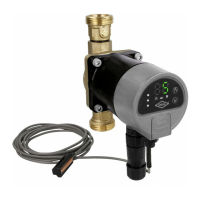
High-efficiency drinking water circulation pump
GB


 To Next Page