6
AD194 27/03/07 - 88014542D
OERTLI SERVICE AG VESCAL S.A. - Systèmes de chauffage
www.oertli-service.ch www. heizen.ch
Service technique
Technische Abteilung
Servizio tecnico
Bahnstraße 24
CH-8603 SCHWERZENBACH
01 806 41 41
01 806 41 00
info@oertli-service.ch
Service commercial
Verkaufsbüro
Servizio commerciale
Z.I. de la Veyre, St-Légier
CH-1800 VEVEY 1
021 943 02 22
021 943 02 33
info@vescal.ch
La Société OERTLI THERMIQUE S.A.S., ayant le souci de la qualité de ses produits, cherche en permanence à les améliorer.
Elle se réserve donc le droit, à tout moment de modifier les caractéristiques indiquées dans ce document.
Technische Änderungen vorbehalten.
OERTLI THERMIQUE S.A.S.
www.oertli.fr
Direction des Ventes France
Z.I. de Vieux-Thann
2, avenue Josué Heilmann - B.P. 16
F-68801 Thann Cedex
+33 3
89 37 00 84
89 37 32 74
+33 3
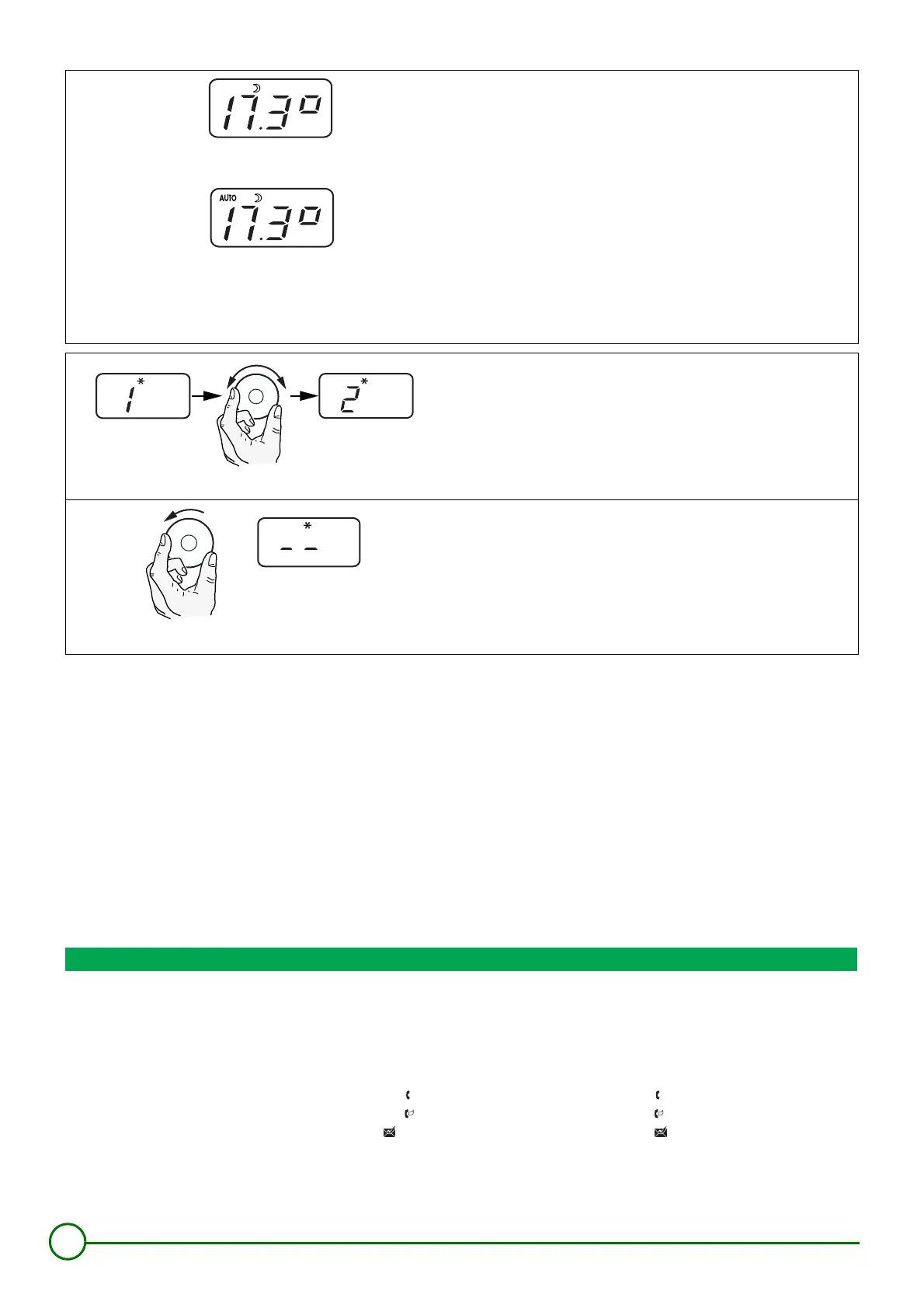
ECO 7/7 mode:
$
Select the night mode by pressing the MODE button twice. The
symbol
$
appears. To return to automatic mode, press the MODE
button again until AUTO appears on the display.
Forced temperature more ECO UNTIL ...: AUTO
$
(According to
the central control system)
Select the night mode (symbol
$
) by holding down the MODE button
for 5 seconds until AUTO
$
appears on the display. When the end
time set on the OE-tronic 3® control system is reached, the control
system automatically returns to AUTO mode.
Refer to the setting made on the OE-tronic 3® control system:
- Night until.............................................. (Factory setting: 24 hours)
HOLIDAY mode:
.
Select the HOLIDAY mode by pressing the MODE button three times.
The symbol
.
appears. The number of days can be set using the
rotary button. The symbol
.
then continues to be displayed. After a
few seconds, the display again shows the outside temperature.
Permanent holiday mode
Select the HOLIDAY mode by pressing the MODE button three times.
The symbol
.
appears. If the rotary button is turned to the left, the
control system goes into permanent holiday mode. The symbol
.
then continues to be displayed. After a few seconds, the display again
shows the outside temperature.
8801N365
8801N366
8801N367
8801N368



 To Next Page