OFITE, 11302 Steeplecrest Dr., Houston, TX 77065 USA / Tel: 832-320-7300 / Fax: 713-880-9886 / www.ote.com 7
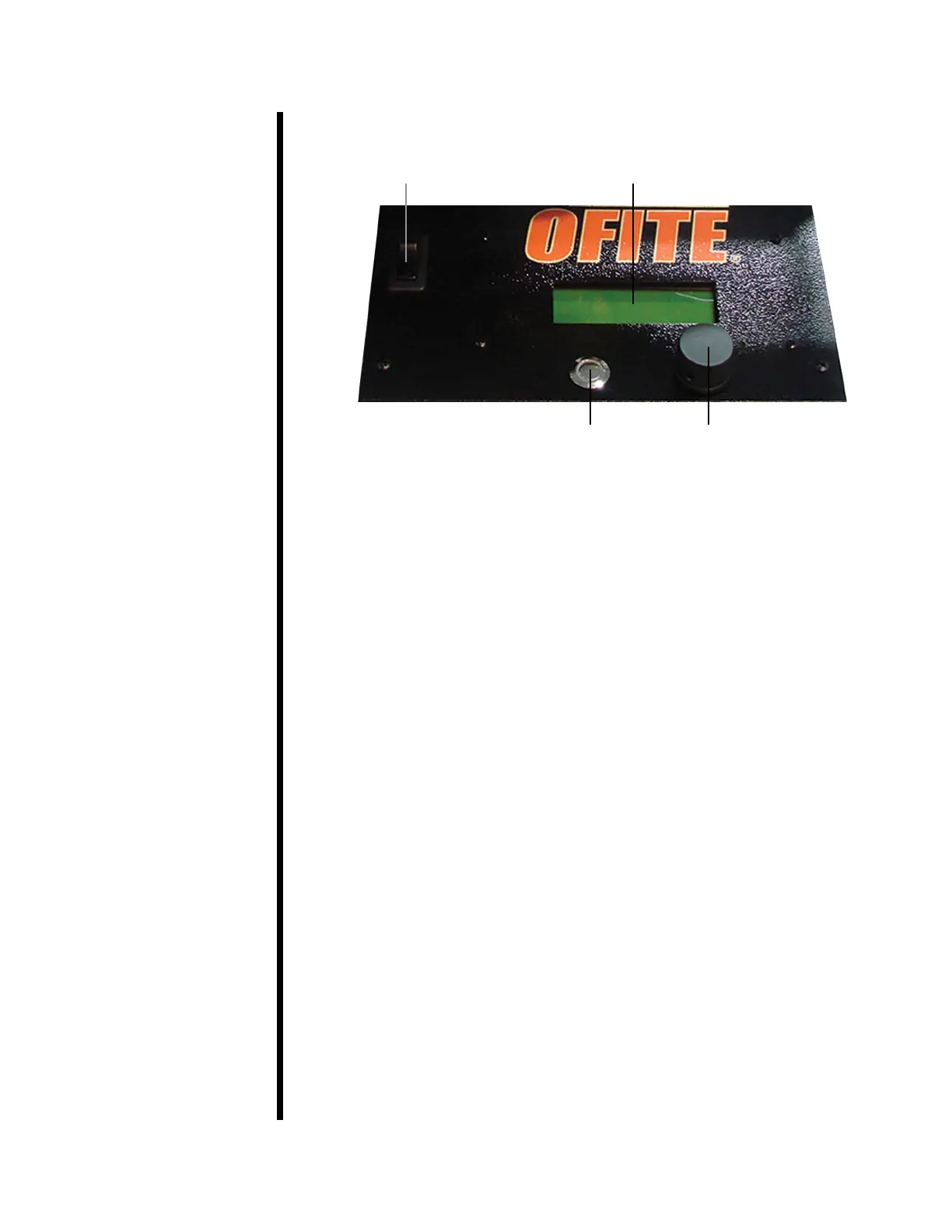
Control Panel
The instrument control panel consists of a display screen, a Scroll Wheel,
and an Exit button.
The Scroll Wheel spins clockwise and counter-clockwise. Spinning the wheel
scrolls through the menu and options. Pushing the Scroll Wheel in signals
acceptance.
The Exit button cancels any pending input and returns to the Main Menu.
Pushing the Exit button while on the Main Menu accesses the Zero Menu. To
access the Main Menu, push in the Scroll Wheel while on the home screen.
On the Main Menu you can set the motor speed to one of 5 preset values:
1. Set RPM to 0
2. Set RPM to 60
3. Set RPM to 200
4. Set RPM to 600
5. Set RPM to 1000
To access the Manual Speed Select, spin the Scroll Wheel while on the home
screen. From here you can increase the motor speed by spinning the wheel
clockwise and decrease it by spinning it counter-clockwise. By default, the
speed increases by 1 RPM for each increment of wheel spin. By pressing the
wheel in, you can increase this increment to 10 or 100 RPM.
SPIN: ADJUST RPM
ENTER: ADJUST RPM BY 1, 10, 100
To access the Zero Menu, press the Exit button while on the home screen.
From here you can set the test time and torque values to zero.
1. Zero the Test Time
2. Set Torque = 0.0
3. Restore Last Torque
To stop the motor, press the Scroll Wheel in twice.
Exit Button Scroll Wheel
On/Off Switch Display Screen


 To Next Page