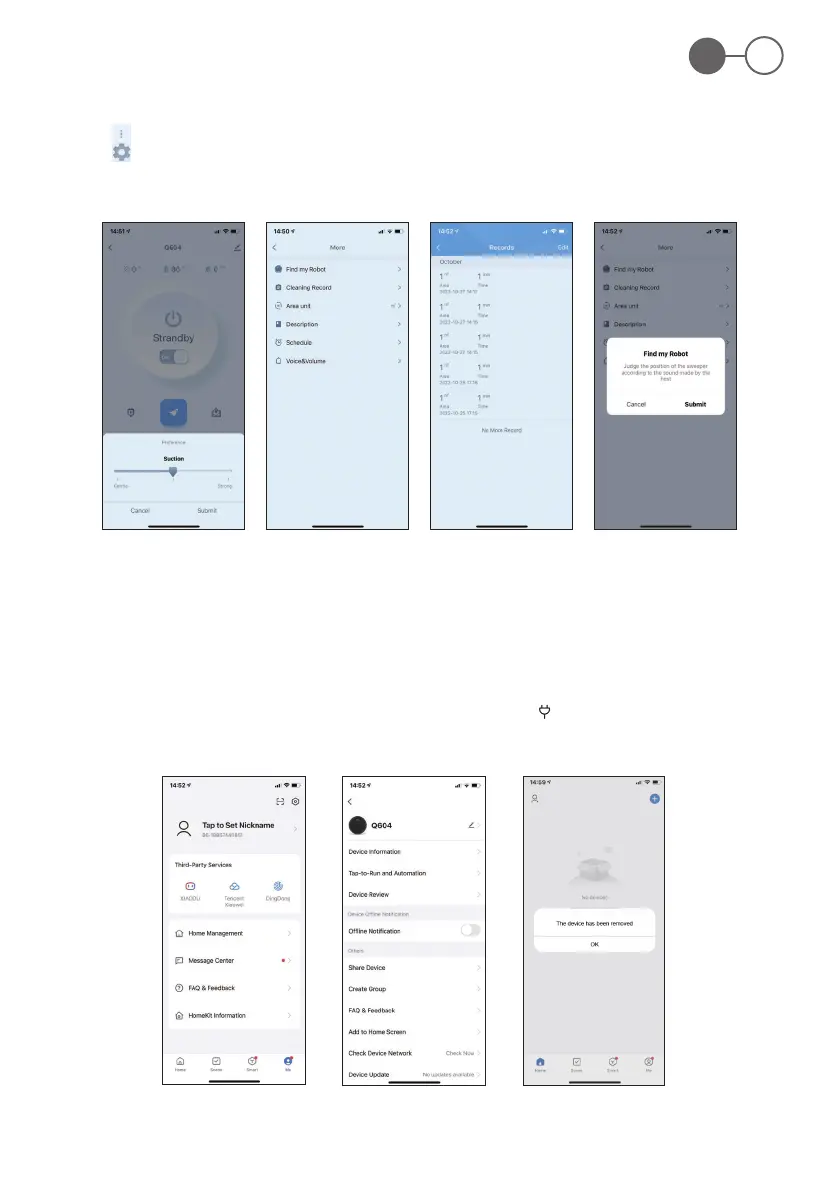
Fig. 22 Fig. 23 Fig. 24 Fig. 25
Fig. 26 Fig. 27 Fig. 28
ROB 4600
59
EN
Other possible operations
1. Click “ “ button to select suction level (Fig. 22).
2. Click “ “ in the operation interface to enter the following operations (Fig. 23):
a. Click “Cleaning Records” to view the cleaned records (Fig. 24).
b. Click “Find Robot”, the robot will make a sound, and you can determine the location of the robot (Fig. 25).
3. Other interfaces
a. Personal Center: in this page you can set user nicknames, share the device with relatives and friends, and give feedback on
use (Fig. 26).
b. More pages: in this page, you can modify the device name, learn about the device information, give feedback, and remove the
device (Fig. 27).
4. If no need control the robot vacuum cleaner through the APP, you can long press the “ “ (2) button to exit the APP control interface
(Fig. 28).


 To Next Page