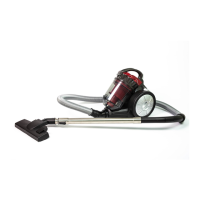
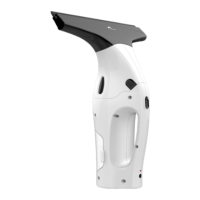
This document describes the ROB 4600 Robot Vacuum Cleaner, a device designed for automated floor cleaning. It functions as a robot aspirateur et laveur de sol, a Saug-Wisch-Roboter, and an Aspirapolvere e lavapavimenti robot, indicating its capability for both vacuuming and mopping.
Function Description
The ROB 4600 is a versatile robot vacuum cleaner that can operate in various cleaning modes:
- Systematic Mode: For optimal room cleaning, the appliance uses a gyroscope-controlled navigation system, cleaning in a zigzag pattern if room conditions allow.
- Spot Mode: The appliance moves from the center of a designated area in an ever-widening circle to clean a specific spot.
- Corner Mode: Placed against a wall, the appliance moves along the walls to clean corners and edges.
- Wiping Function: The device can be used for wet cleaning by attaching a water tank with a cleaning fleece. It's crucial to start the appliance immediately after attaching the water tank to prevent damage to the floor from dripping water.
- Scheduled Cleaning: Users can set a schedule for the appliance to switch on at a certain time on selected days. This feature should not be used with the mopping function to avoid water damage to floor coverings.
The appliance automatically switches to a different cleaning mode if it detects that another mode would achieve a better cleaning effect. It also automatically returns to the charging station when the battery capacity drops to about 15% or when the user presses the designated button.
Important Technical Specifications
- Model: PC-BSR 3108
- Net Weight: Approx. 2.8 kg
- Protection Class: II
- Power Supply Unit:
- Input: AC 100-240 V, 50/60 Hz, 0.4 A
- Output: DC 19V, 600 mA
- Rechargeable Battery: 14.4V, 2600 mAh Li-Ion
- Running Time: Approx. 2 hours
- Charging Time: Approx. 6 hours
- WLAN:
- Supported Network: 802.11b/g/n
- Maximum Radio-Frequency Power Transmitted: 100 mW
- Frequency Range: 2.4 GHz
- Channels: 1-13
- Supported Wi-Fi Protected Access: WPA/WPA2
- Storage Temperature: 10°C to 20°C
Usage Features
The ROB 4600 can be operated via both a remote control and a smartphone app ("Smart Life - Smart Living").
Remote Control Operation:
- On/Off: Briefly press the power button to switch on. Press again to switch to standby. Hold for about 4 seconds to enter sleep mode.
- Mode Selection: Use the "MODE" button to cycle through cleaning modes (Systematic, Spot, Corner).
- Start/Stop: The ►II button starts or stops the appliance from sleep mode and confirms settings.
- Charging Station Search: Press the button to send the appliance back to the charging station.
- Suction Power Adjustment: Increase suction power using the designated button. Note that increased power shortens battery life (approx. 10-15% increase in consumption).
- Directional Control: Use arrow buttons to manually move the appliance forward, right, backward, or left.
- Scheduled Cleaning: Set a cleaning schedule for specific days and times.
Smartphone App Operation ("Smart Life - Smart Living"):
- Installation: Download the "Smart Life - Smart Living" app from Google Play or the App Store.
- Registration: Create a user account, enter email, get a verification code, and set a password.
- Device Pairing:
- General Connection Mode (Wi-Fi Quick Connection): Select "SMALL HOME APPLIANCE" then "ROBOT VACUUM" in the app. Enter Wi-Fi password, reset the device by holding the button for 3-5 seconds until it beeps and flashes quickly. Confirm reset and select "Wi-Fi Quick Connection".
- Bluetooth Connection Mode: Turn on Bluetooth on the phone, hold the button for 3 seconds until the device beeps and flashes quickly. Confirm the indicator is blinking in the app.
- Compatible Connection Mode (AP Mode): If general connection fails, use this mode. Reset the device, then select "Hotspot Network" in the app and connect to the device's Wi-Fi hotspot.
- Remote Control via App: Once connected, all appliance functions can be accessed via the app.
- Planned Cleaning: Set cleaning schedules through the app, including start times and repetitions.
- Other Operations: The app allows for additional functions such as selecting suction level, viewing cleaning records, and locating the robot.
General Usage Notes:
- Ensure sensors are clean before each use to prevent falls down stairs.
- Clear the floor of any objects that could obstruct brushes, get caught in the nozzle, or stop the appliance.
- Remove items that could be knocked over (vases, lamps).
- Ensure cables, cords, or fringes are not accessible to the appliance.
Maintenance Features
Regular maintenance is crucial for the ROB 4600's performance and longevity.
- Safety First: Always switch off the appliance before maintenance or cleaning. Never immerse it in water.
- Housing Cleaning: Clean with a soft, dry cloth without additives.
- Sensor Cleaning: Carefully clean sensors (10/14/17) with a dry soft cloth.
- Dust Container and Filter Cleaning:
- Empty the dust container after and before each use for good performance.
- Remove the water tank (if attached), then remove the dust container by pressing the lock.
- Fold the dust container apart and lift the HEPA filter cover.
- Pull out the HEPA filter and clean it by gently tapping.
- Do not use a brush to clean the HEPA filter as it can damage the filter material.
- Empty the dust container over a dustbin.
- Clean the dust container under running water with a soft brush.
- Allow the dust container to air dry completely, away from direct sunlight.
- Reinsert filters only when completely dry.
- Reassemble the dust container and click it back into place.
- It is recommended to replace the HEPA filter once a year.
- Side Brush Cleaning/Changing:
- Clean with clear water; do not use additional cleaning agents.
- If worn or defective, replace them. Pull upwards to remove.
- When reattaching, ensure correct alignment with (R) and (L) markings and that they engage with a "click".
- Floor Brush Cleaning:
- Remove the cover by pressing the latches and pulling the cover upwards.
- Pull the floor brush upwards from the side with the rubber bearing.
- Clean any hair or dirt from the floor brush.
- Reinsert the floor brush, square nose first.
- Put the cover back on until it clicks into place.
- Cleaning Fleece Cleaning:
- After removing from the water tank, wash at 30°C with a little detergent.
- Dry by hanging on a clothesline; do not bleach or iron.
- Reattach to the water tank once dry.
- Battery Disposal: The appliance contains a rechargeable battery. Remove the two screws on the battery cover, disconnect the connector, and remove the battery. Dispose of batteries/rechargeable batteries at designated collection points, not with household waste.
- Appliance Disposal: Electrical equipment should not be disposed of with domestic waste. Return to collection points for recycling.
Storage:
- Clean and dry the appliance completely.
- Store in original packaging if not used for a long time.
- Store out of reach of children, in a well-ventilated and dry place.
- Storage temperature should be between 10°C and 20°C.
- Recharge the battery every 4 to 6 weeks if not used for a long time, as it constantly discharges even when off.

 Need help?
 General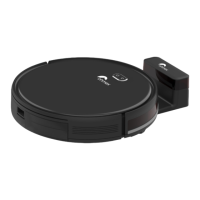

 To Next Page