9
10
11
11
85
STI 7990
EN
APPLIANCE PREPARATION
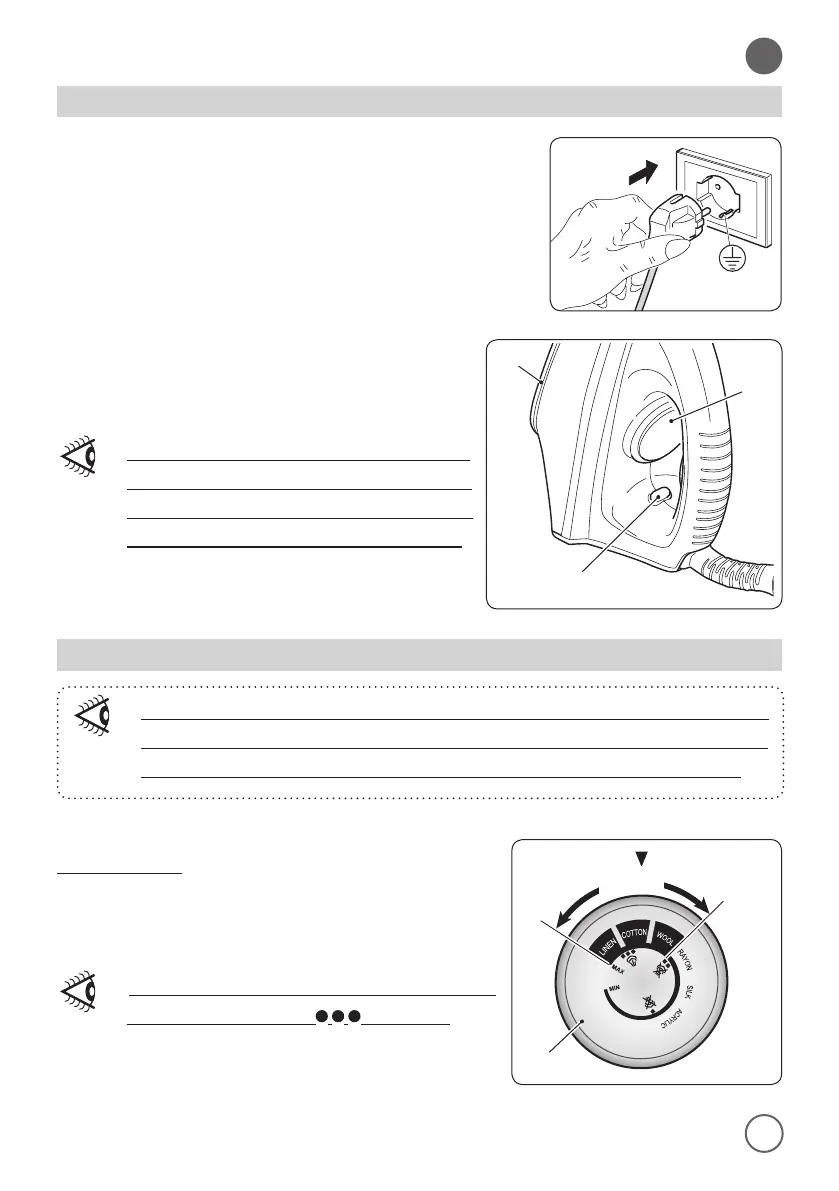
- Connect the power plug to the power socket making sure
that the mains power corresponds to the one indicated
on the appliance rating label; the iron turns on.
• The appliance body (1) and the plate (9) start heating.
• When the plate (9) has reached the desired
temperature, the temperature indicator light
(10) turns o.
During steam ironing the temperature
indicator light (10) occasionally turns
on to indicate that the iron (8) is
heating to reach the set temperature.
APPLIANCE USE
If, after ironing using an high temperature, you decide to lower it with
the thermostat (11), wait until the temperature indicator light (10) turns
on again before continuing ironing in order to not damage fabrics.
Steam ironing
• Check that there’s enough water in the tank (2).
• Turn the thermostat knob (11) to select an ironing
temperature suitable for the kind of fabric to iron.
Steam ironing is possible only at higher
temperatures (from to MAX).


 To Next Page