18
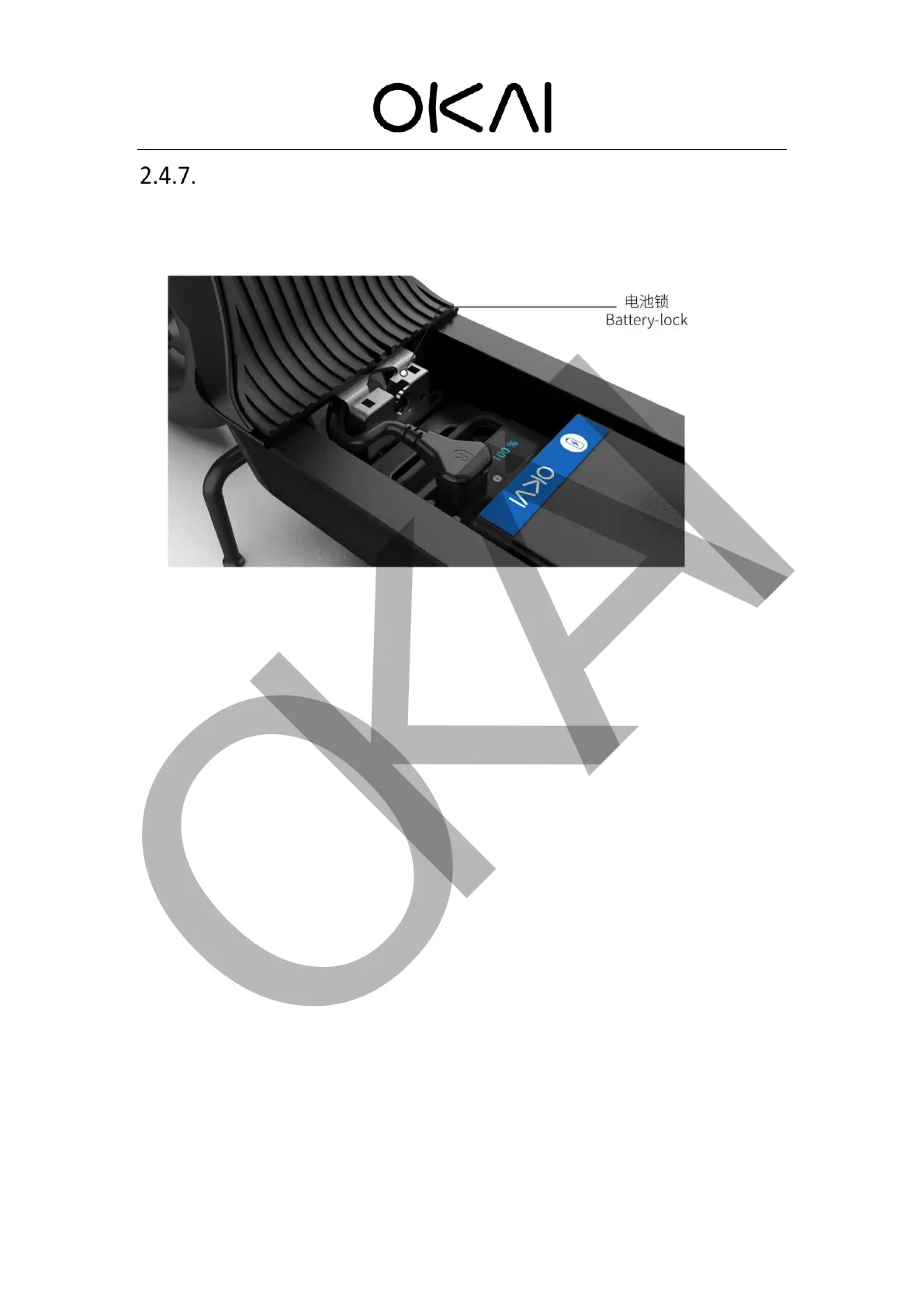
Battery Lock
The battery lock of OKAI scooter can be directly controlled by the IOT. Through CAN bus, the
IOT sends the unlocking command to the battery lock. When the battery lock is unlocked, the
battery cover will pop up automatically. As long as you press down the battery cover, it will
automatically lock.
For better testing the battery lock on sample scooters, when the IOT is in the test mode, press
the button on the IOT to active the scooter, the battery lock will be opened at the same time, and
the battery cover will pop up automatically.
When the IOT is in normal mode (bulk cargo), the server can only send the battery lock
command to the IOT to unlock the battery lock
If the battery pedal is accidentally locked when the battery is not loaded, please refer to the
"abnormal state battery lock opening" tutorial in Chapter 4.2
If the battery has run out, just charge the scooter through the charging port on the scooter.
After a few minutes, you can open the battery lock and replace it with a new one.



 To Next Page