6
Function Introduction
IoT
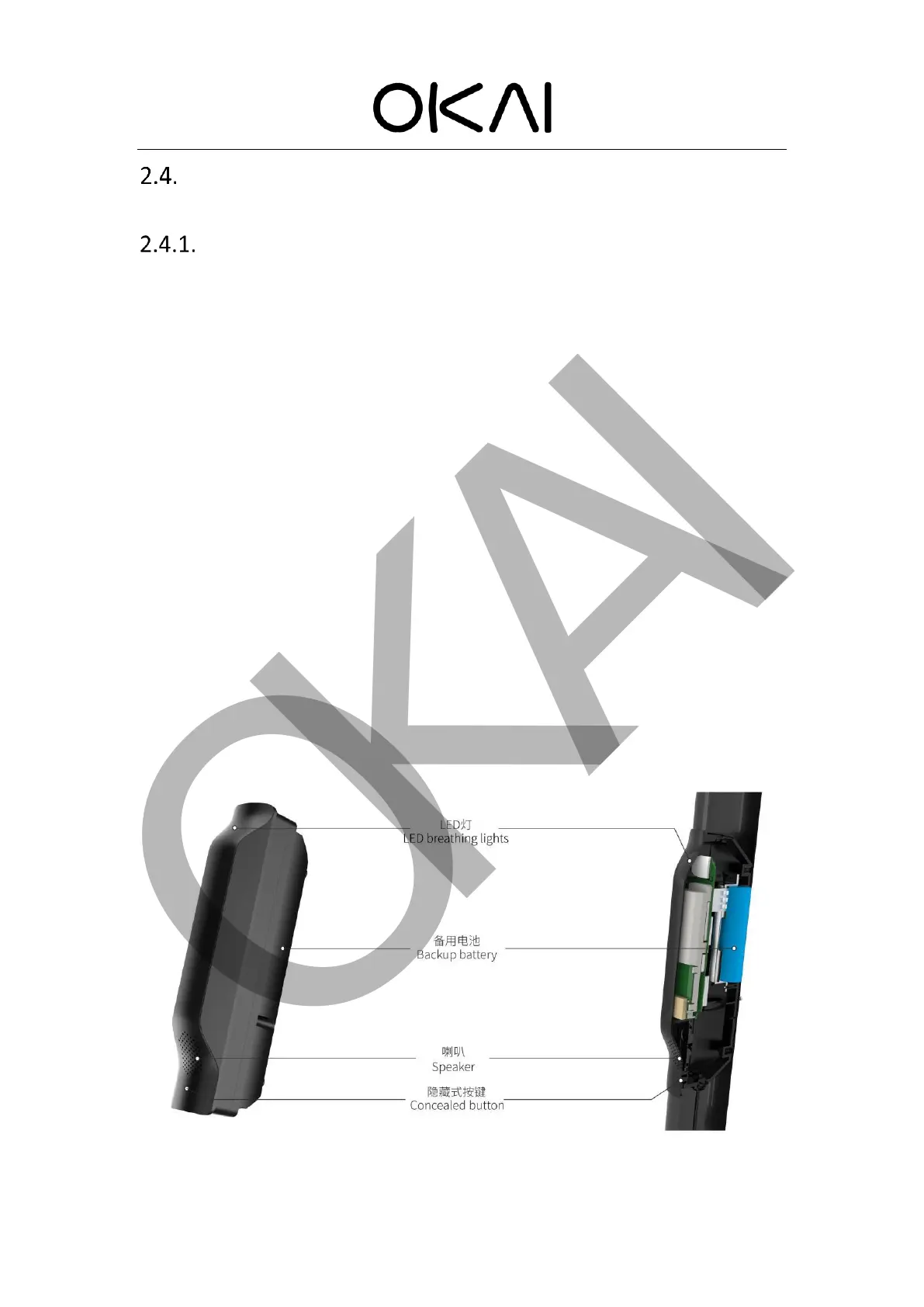
OKAI's IOT is equivalent to the core brain of the vehicle, and it is used in conjunction with
other hardware and equipment to realize functions such as controlling OKAI scooters, monitoring
scooters data, and discovering current failures of the scooters. OKAI’s IOT plays an important role
in the normal operation of the scooter. Inside the IOT, there is a SIM card slot, into which an
authorized SIM card is inserted to connect the IOT to the server. We have standard operating
procedures (SOP)* "Install SIM card and configure ES400 network parameters" to help you perform
this operation. Soon after, the IOT was able to receive commands from the server and control the
scooter accordingly when connected. The configuration set in each command affects the behavior
of the indicator, which makes manipulating the indicator very simple. After the client’s scooter and
server connected, the server opens a TCP port to monitor and generate a socket ID, which allows
mutual communication (receiving and sending data).
All electronic components of OKAI Scooter and the IOT are connected through CAN BUS. The
IOT can directly participate in the control of all electronic components, including collecting and
reading the data of the electronic components. The IOT can also update the firmware of the
instrument, ECU, BMS, helmet box, battery lock, cable lock, and hardware of the IOT through the
FOTA function.
Please refer to *"How to connect to the server" for the specific operations you should do after
receiving the bulk goods.



 To Next Page