13
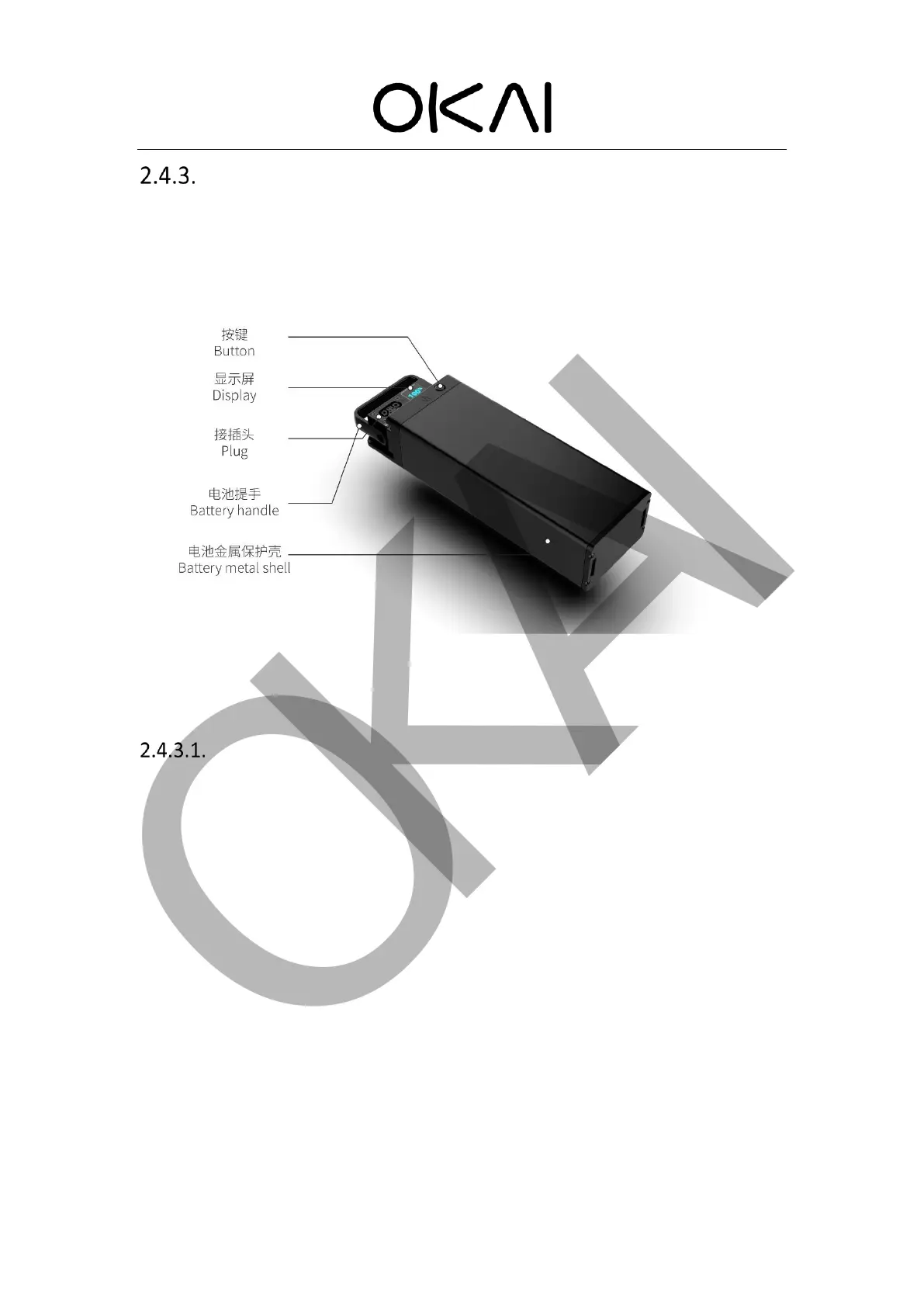
Battery
Battery display and buttons
There are LCD display and button on OKAI battery, by which users can view voltage,
temperature, error code and other information. For the introduction of error codes, please
refer to chapter 4.1
Functions of buttons:
⚫ Press the key to wake up the LCD screen.
⚫ Short press to switch: voltage, power percentage and temperature.
⚫ When charging, short press to switch: voltage, power percentage and temperature. At the
same time, the unit symbol flashes.
⚫ Long press 5S to enter the engineering mode, display the current error code, and press 5S
again to exit the engineering mode.
⚫ Long press for 10s to reset the battery.



 To Next Page