C310/C330/C510/C530 How to remove Jammed Paper
<5>
© Copyright 2010 Oki Data Corporation
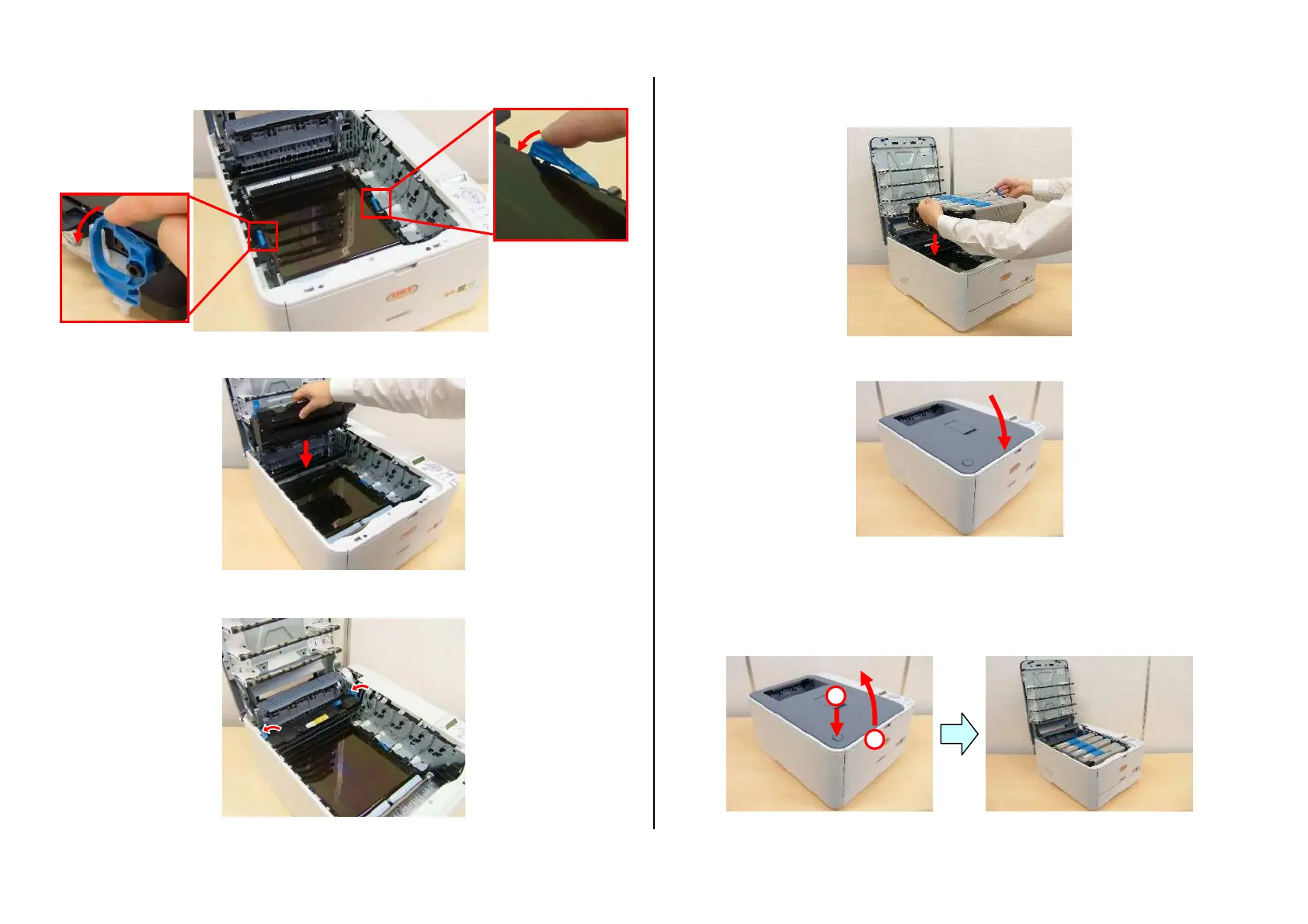
(7) Turn the lock levers inwards to lock the belt unit.
(8) Put the fuser unit back into position.
(9) Turn the lock levers inwards to lock the fuser unit.
(10) Install the image drum unit in the printer so as to situate the K
toner cartridge toward the front of the printer.
(11) Close the top cover.
Error code: 380, 381, 382, 385 or 389
(1) Press the OPEN button and open the top cover.
2
1


 To Next Page