EasyManua.ls Logo

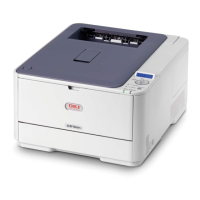
Oki C3200n - User Manual

Oki C3200n
168 pages
Print Icon
To Next Page IconTo Next Page
Loading...

Table of Contents

Other manuals for Oki C3200n

Questions and Answers

  • M
    marvin44Aug 25, 2025
    What to do if Oki Printer doesn't print after clearing jam?
    • J
      Jennifer JohnsonAug 26, 2025
      If your Oki Printer continues not to print after clearing a jam, raise and gently lower the top cover, especially if the paper jam was removed from behind the front cover.
  • S
    Sabrina PeckAug 26, 2025
    Why does my Oki C3200n frequently jam?
    • C
      Craig FloresAug 26, 2025
      To address frequent paper jams in your Oki Printer, ensure the printer is on a stable, level surface and that you're using the correct type of paper. Store paper within specified temperature and humidity levels. Remove any creased or wrinkled paper, and adjust the tray or manual feed guides. Also, verify the correct paper feed selection in the printer driver's Properties Setup tab.
  • J
    Joshua LawrenceAug 26, 2025
    What to do if Oki C3200n Printer does not go online?
    • R
      ruizfeliciaAug 27, 2025
      If your Oki Printer does not go online, switch it off and disconnect the power cable. Reconnect the power cable and switch the printer back on. If this does not clear the fault, call for service.
  • C
    Christine MooreAug 27, 2025
    How to replace toner on Oki C3200n when it's empty?
    • C
      connorriveraAug 27, 2025
      To resolve a 'REPLACE TONER nnn: * TONER EMPTY' error on your Oki Printer, replace the indicated toner. The codes are: 410: Y = Yellow, 411 M = Magenta, 412: C = Cyan, 413: K = Black.
  • L
    Larry ValenciaAug 27, 2025
    Why does my Oki C3200n Printer say 'ADD MORE MEMORY 420: MEMORY OVERFLOW'?
    • M
      martin26Aug 27, 2025
      If your Oki Printer displays 'ADD MORE MEMORY 420: MEMORY OVERFLOW', it means the document is too large for the printer's memory. Try reducing the document size. If this happens often, consider installing additional memory.
  • B
    Brenda HeathAug 27, 2025
    What to do if Oki C3200n Printer shows 'CHECK FUSER 320: FUSER MISSING' error?
    • J
      jamescolonAug 27, 2025
      If your Oki printer displays the error 'CHECK FUSER 320: FUSER MISSING', open the top cover and ensure the fuser unit is properly seated. Also, check that the lock levers are pushed all the way toward the back of the printer.
  • D
    Dawn ScottAug 28, 2025
    How to fix 'CHECK BELT 330: BELT MISSING' error on Oki C3200n?
    • P
      Pamela MilesAug 28, 2025
      If your Oki Printer displays 'CHECK BELT 330: BELT MISSING', open the top cover and remove the black (K) and Yellow (Y) image drums. Ensure the belt unit latches are fully latched, then reinstall the image drums.
  • S
    Stacey JohnsAug 28, 2025
    What does 'YYYY nnn: FATAL ERROR' mean on my Oki Printer?
    • R
      Rebecca RichAug 28, 2025
      If you see 'YYYY nnn: FATAL ERROR' on your Oki Printer, try turning it off and then back on. If the problem persists, write down the message, including the error number “nnn,” and any scrolling octets, then contact your authorized Oki Data Service Dealer.
  • T
    Tyrone RichardsonAug 29, 2025
    How do I fix the 'CLOSE COVER 316: DUPLEX COVER OPEN' error on my Oki C3200n?
    • C
      Courtney CameronAug 29, 2025
      To resolve the 'CLOSE COVER 316: DUPLEX COVER OPEN' error on your Oki Printer, ensure that the duplex cover is fully closed and properly latched.
  • M
    Monica HowardAug 29, 2025
    Why does my Oki Printer say 'INSTALL PAPER CASSETTE 430: TRAY 1 MISSING'?
    • E
      Eddie FarrellAug 30, 2025
      If your Oki Printer displays 'INSTALL PAPER CASSETTE 430: TRAY 1 MISSING', it means Tray 1 is not installed. Install the missing tray to resolve the issue.

Summary

Loading Paper

Trays 1 and 2

Step-by-step guide for loading paper into the main trays.

Consumables

Toner Cartridge

Details on replacing the toner cartridges.

Image Drum

Information on replacing the image drums.

Belt Unit

Instructions for replacing the transfer belt unit.

Fuser

Guidance on replacing the fuser unit.

Menus

Changing Menu Settings

How to navigate and modify printer menu settings.

Paper Jams

General Information

Explains causes and general procedures for printer paper jams.

Jam 382

Specific steps to clear a paper jam in the top cover area.

Jam 371

Detailed steps for clearing a jam within the duplexer unit.

Jam 390

Steps to clear a paper jam originating from the MP Tray.

Troubleshooting

Display Panel Messages

Interprets and provides solutions for printer display messages.

Print Quality Problems

Addresses issues like blurred print, fading, lines, and smudging.

USB Problems

Solutions for configuring and resolving USB connection issues.

Windows

Using the Printer Driver

How the printer driver settings interact with the operator panel.

Duplex Printing

Instructions for printing on both sides of the paper.

Oki C3200n Specifications

General IconGeneral
Printer TypeColor Laser Printer
Print Speed (Black)20 ppm
Print Speed (Color)20 ppm
Print Resolution1200 x 600 dpi
Resolution1200 x 600 dpi
Monthly Duty Cycle30, 000 pages
Standard Paper Capacity250 sheets
Duplex PrintingManual
Weight48.5 lbs
ConnectivityEthernet, USB
Operating System CompatibilityWindows, Mac OS
Media SizesA4, A5, Letter, Legal

Related product manuals