44951501TH Rev.2
7-69
Oki Data CONFIDENTIAL
7. TROUBLESHOOTING
7.5.4.4.4 Install an intermediate Certificate.
Some certifying authorities perform installation of an SSL server certificate (a printer
certificate) and an intermediate certificate in printers.
However, since a printer of this model supports installation of only one certificate, an
intermediate certificate cannot be installed in the printer. Be sure to install an SSL server
certificate in the printer.
To install an intermediate certificate, install the intermediate certificate not in the printer, but in
a client PC (browser).
For the steps of installing an intermediate certificate in a client PC (browser), see the
followings.
Installing an intermediate certificate (or CA certificate) in a client PC (browser)
[Steps]
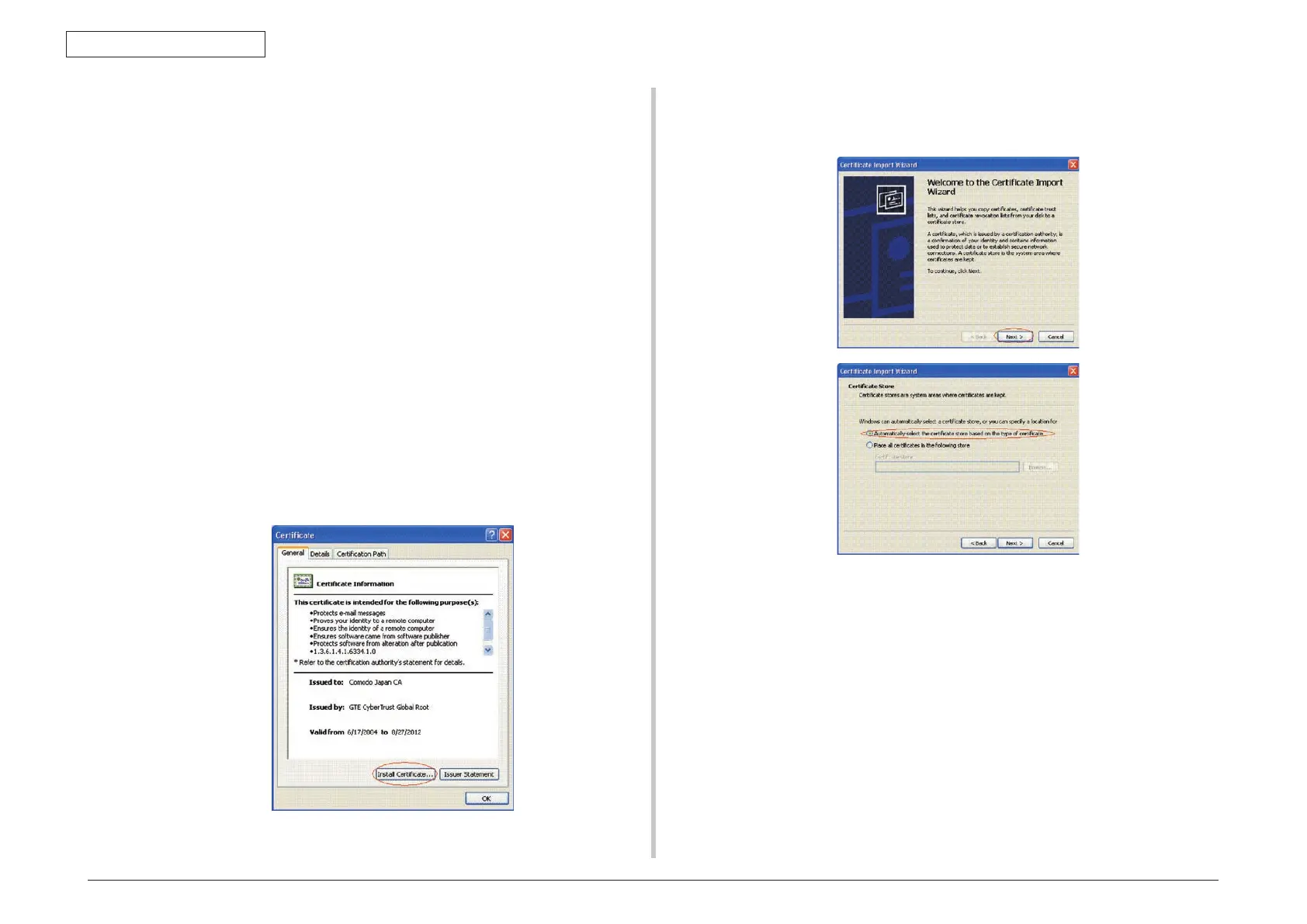
1. Double-click an intermediate certificate (or CA certificate) issued by a certifying
authority, on a client PC to view them.
E.g.: A Comodo intermediate certificate is in the text (PEM) format:
ComodoJapanCA.Crt or binary format: ComodoJapanCA.cer, and either format
is acceptable to open. (The same result can be obtained.)
Open either ComodoJapanCA.crt or ComodoJapanCA.cer.
2. On the General tab of the displayed Certificate information window, press the Install
Certificate… button.
3. After the Certificate Import Wizard appears, install a certificate by following the on-
screen procedure. Select “Automatically select the certificate store based on the
types of certificate,” so that the certificate will be installed automatically.



 To Next Page