EasyManua.ls Logo

Oki C610dtn - User Manual

Oki C610dtn
109 pages
Print Icon
To Next Page IconTo Next Page
Loading...
User’s Guide
C610/C711
59320301 my.okidata.com

Questions and Answers

  • X
    xandradeAug 5, 2025
    What to do if my Oki Printer has a paper jam?
    • P
      pwrightAug 5, 2025
      If your Oki Printer has a paper jam, here's what you can do: 1. If the paper is partially out of the printer, gently pull it out. 2. Open the printer's top cover. 3. Check for any visible paper on the belt unit. 4. If the sheet is entering the fuser, separate it from the belt, push the fuser pressure release lever down, and withdraw the sheet through the drum cavity area. Then, allow the pressure release lever to rise again. 5. If the sheet is in the fuser, push the two retaining levers towards the rear of the printer to release the fuser. Withdraw the fuser unit using the handle. Press the release lever and pull the trapped paper from the fuser.

Summary

Printer Overview

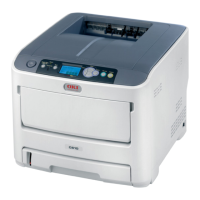
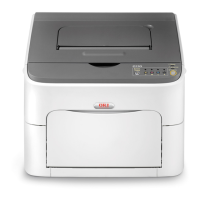
C610 Front View

Illustrates and labels the front components of the C610 printer, including output stacker, operator panel, and paper trays.

C610 Rear View

Illustrates and labels the rear components and connection panel of the C610 printer, including power switch and interfaces.

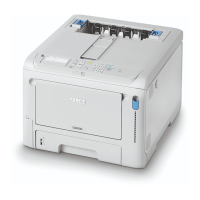
C711 Front View

Illustrates and labels the front components of the C711 printer, similar to the C610 view, detailing its parts.

Getting Started

Paper Recommendations

Loading Paper

Tray 1 and Optional Trays 2 and 3

Details the process of loading paper into the printer's main trays, including preparing the paper and inserting the tray.

Multi-Purpose Tray

Explains how to open, prepare, and load paper into the printer's multi-purpose tray for various paper types and sizes.

Operator Panel

How to Change the Settings: User

How to Change the Settings: Administrator

Menus

Admin Setup

Network Setup

Configures network protocols like TCP/IP, NetBEUI, NetBIOS, NetWare, EtherTalk, and frame types.

Calibration

Parallel Setup

USB Setup

Security Setup

Storage Setup

Power Setup

Language Setup

Troubleshooting

Paper Sensor Error Codes

Lists error codes related to paper sensors, indicating the location and potential cause of paper feed issues.

Clearing Paper Jams

Replacing Consumables and Maintenance Items

Toner Cartridge Replacement

Provides detailed steps for safely removing and installing toner cartridges, including handling precautions.

Image Drum Replacement

Explains the procedure for replacing the printer's image drums, emphasizing care due to static sensitivity.

Replacing the Transfer Belt Unit

Guides users through the process of replacing the transfer belt unit, located under the image drums.

Fuser Replacement

Details the steps for replacing the fuser unit, warning about its high temperature and careful handling.

Utilities

Oki C610dtn Specifications

General IconGeneral
Print Resolution1200 x 1200 dpi
Monthly Duty Cycle75, 000 pages
Weight50.7 lbs
Duplex PrintingYes
Printer TypeLaser
ConnectivityUSB 2.0, Ethernet
Operating System CompatibilityWindows, Mac OS

Related product manuals