EasyManua.ls Logo

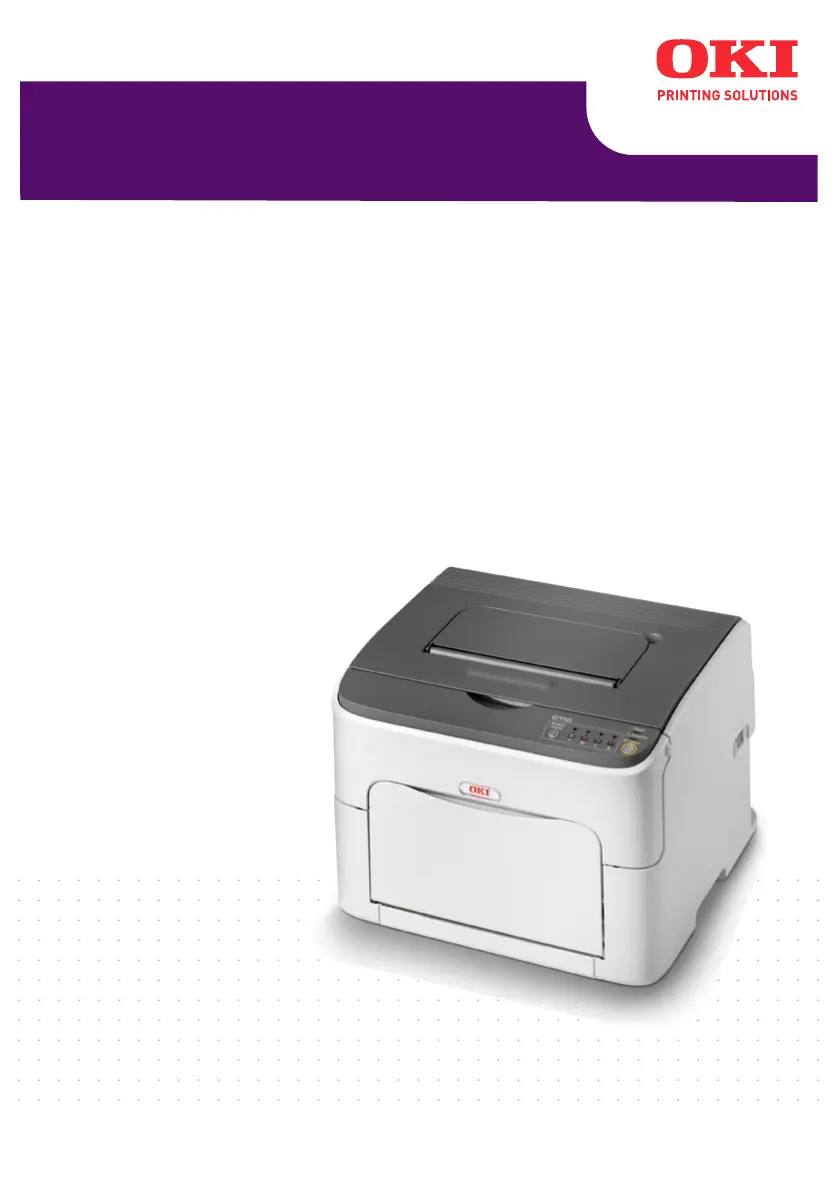
Oki C110 - User Manual

Oki C110
115 pages
Print Icon
To Next Page IconTo Next Page
Loading...
C110
User’s Guide

Table of Contents

Other manuals for Oki C110

Questions and Answers

  • C
    christopherblackSep 18, 2025
    Why is my Oki Printer wrinkling media?
    • A
      Amanda RochaSep 18, 2025
      If your Oki Printer is producing wrinkled media, it could be due to moisture. Remove the moist media and replace it with new, dry media. Also, the media feed roller or fuser unit might be defective, so check them for damage. If necessary, contact Technical Support with the error information.
  • C
    Cathy GardnerAug 25, 2025
    Why is my Oki Printer printing blank pages?
    • R
      Russell RussellAug 25, 2025
      If your Oki Printer is printing blank pages, one or more of the toner cartridges may be defective or empty, so check the toner cartridges. Also, the wrong media may be in use, so check that the media type set in the driver matches the media loaded in the printer.
  • B
    Billy CruzAug 25, 2025
    What to do if my Oki C110 is misfeeding media?
    • K
      Kathryn MorrisonAug 26, 2025
      If your Oki Printer is experiencing media misfeeds, it could be due to several reasons. First, remove the misfed media and reposition the media properly in the tray. If that doesn't work, check the following: 1. Ensure that the number of sheets in the tray does not exceed the maximum allowed. 2. Adjust the media guides in Tray 1 to match the size of the media. 3. Make sure warped or wrinkled media is not loaded in the tray. 4. If using label sheets, ensure they are loaded according to the manufacturer’s instructions. 5. Unsupported media is not being used. Consult “Print Media” on page 30. 6. The media feed roller is clean. For more details, refer to “Interior” on page 69.
  • E
    Edward VillarrealAug 26, 2025
    Why is my Oki C110 Printer printing nothing?
    • W
      William WalkerAug 27, 2025
      If your Oki Printer is not printing anything, or there are blank spots on the printed page, it could be due to several reasons. First, check the toner cartridges for damage. If they are fine, inspect the imaging cartridge for defects and replace if necessary. Ensure the media is not moist; if it is, replace it with dry media. Verify that the media set in the printer driver matches the media loaded in the printer. Also, confirm that the power source matches the printer specifications. If multiple sheets are being fed at once, remove the media and check for static electricity, fanning the paper before replacing it. Finally, ensure the media is properly set in the tray, straightening it out and realigning the media guides if needed.
  • C
    Carl ThompsonSep 18, 2025
    How to fix unusual noises from Oki C110 Printer?
    • L
      Lindsey NicholsonSep 18, 2025
      If you are hearing unusual noises from your Oki Printer, ensure that the printer is on a flat, hard, level surface. If the noise persists, there might be a foreign object stuck inside the printer. Turn off the printer and attempt to remove the object. If you cannot remove it, contact Technical Support.
  • T
    toddgonzalezSep 23, 2025
    How to correct N-up multiple prints output on Oki C110?
    • P
      Paula ThompsonSep 23, 2025
      If you're experiencing incorrect output with N-up on multiple prints on your Oki Printer, it's likely that both the driver and the application have been set for collation. For N-up on multiple prints, choose Collate only in the driver’s Basic Tab and do not set collation in the application.
  • J
    James ClarkSep 9, 2025
    Why is the media wrinkled when printed from my Oki C110?
    • W
      williamsbrianSep 9, 2025
      If the media is wrinkled when printed by your Oki Printer, it may be moist from humidity or have water spilled on it, so replace it with new, dry media. The media feed roller or fuser unit could also be defective, so check them for damage. If you are using unsupported media, consult the 'Print Media' section.
  • S
    Steven OlsenSep 10, 2025
    Why do the colors look wrong on my Oki C110 Printer?
    • C
      cainnancySep 12, 2025
      If the colors look drastically wrong when printing with your Oki Printer, one or more of the toner cartridges may be defective. Remove the toner cartridges and verify that the toner is distributed evenly on each cartridge roller, and then reinstall the toner cartridges.
  • S
    Shelby GonzalezSep 3, 2025
    Why are colors not registering properly on Oki Printer?
    • S
      Stacy BrownSep 3, 2025
      If colors are not registering properly, or you notice colors are mixed or have page-to-page variation on your Oki Printer, it might be due to the imaging cartridge not being correctly seated. Remove the imaging cartridge and reinstall it. Also, one or more of the toner cartridges may be defective, so remove them and check for damage, replacing any damaged cartridges. Finally, the media could be moist from humidity, so replace it with new, dry media.
  • C
    Charles SmithSep 1, 2025
    Why is my Oki Printer's image too light?
    • A
      Audrey HernandezSep 1, 2025
      If your Oki Printer is printing images that are too light or have low image density, several factors could be responsible. First, clean the print head window. If the issue persists, check if the media is moist and replace it with dry media. Additionally, the toner cartridge may be low; try replacing it. Defective toner cartridges can also cause this issue, so inspect them for damage. Finally, ensure the media type is correctly set in the printer driver, especially when printing labels, postcards, thick stock, or letterheads.

Summary

4 Media Handling

Loading Media

Step-by-step instructions for loading various types of media into the printer trays.

5 Replacing Consumables

Replacing a Toner Cartridge

Detailed procedure for replacing individual toner cartridges in the printer.

Replacing the Imaging Cartridge

Instructions for safely removing and installing the printer's imaging cartridge.

Replacing the Fuser Unit

Guidance on replacing the fuser unit, including crucial safety warnings about heat.

6 Maintenance

Cleaning the Printer

Procedures for cleaning the printer's exterior and interior components.

7 Troubleshooting

Preventing Media Misfeeds

Best practices and tips to avoid paper jams and misfeeds during printing operations.

Indicator Messages

Explanation of printer status, warning, error, and service messages displayed by indicators.

Clearing Media Misfeeds

Step-by-step guide on how to safely remove misfed media without causing damage.

Solving Problems with Media Misfeeds

Troubleshooting common symptoms, causes, and solutions for media misfeed issues.

Oki C110 Specifications

General IconGeneral
ColorYes
Duplex printingNo
Maximum resolution600 x 1200 DPI
Time to first page (black, normal)13 s
Time to first page (color, normal)22 s
Print speed (black, normal quality, A4/US Letter)19 ppm
Print speed (color, normal quality, A4/US Letter)5 ppm
Internal memory16 MB
Sound power level (standby)29 dB
Sound pressure level (printing)51 dB
Total input capacity200 sheets
Total output capacity100 sheets
Maximum print size216 x 356 mm
ISO A-series sizes (A0...A9)A4, A5
ISO B-series sizes (B0...B9)B5
Maximum ISO A-series paper sizeA4
Supported media weight(s)60/209 g/m²
Compatible operating systemsWindows 2000 / XP / XP x64 / Vista (32 bit) / Vista (64 bit) / Server 2003 / Server 2003 x64 / Server 2008 / Server 2008 x64
Maximum operating temperature range (T-T)10 - 35 °C
Recommended operating temperature range (T-T)15 - 25 °C
Maximum duty cycle250 pages per month
Sustainability certificatesENERGY STAR
Power consumption (printing)440 W
Power consumption (PowerSave)14 W
Storage temperature (T-T)-20 - 40 °C
Storage relative humidity (H-H)10 - 95 %
Operating relative humidity (H-H)15 - 85 %
Weight and Dimensions IconWeight and Dimensions
Dimensions (WxDxH)396 x 380 x 275 mm

Related product manuals