16 Black printing (black generation)
W
INDOWS
(O
FFICE
C
OLOUR
)
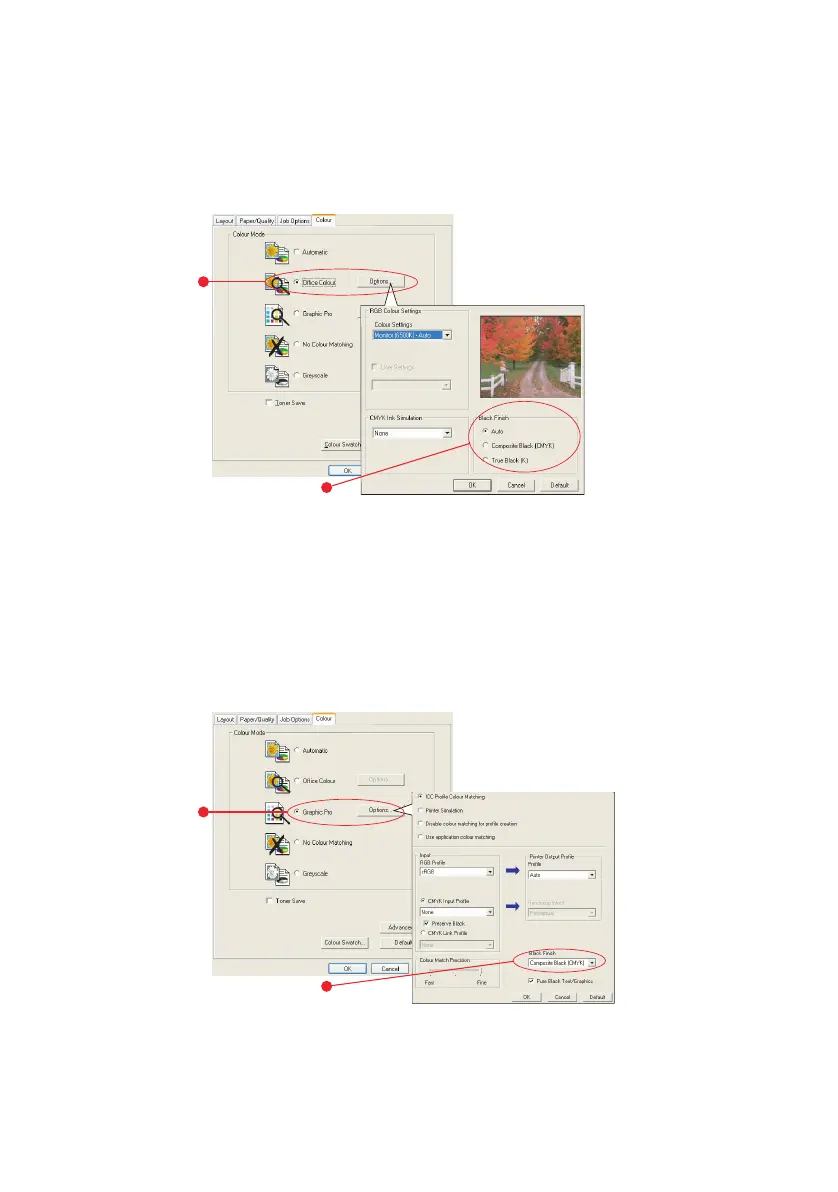
1. On the driver’s [Colour] tab, select [Office Colour] (1)
and click the [Options] button.
2. On [Black Finish] (2), make your selection: [Auto] (allow
printer to choose the best method depending on page
content), [True Black] or [Composite Black].
W
INDOWS
(G
RAPHIC
P
RO
)
1. On the driver’s [Colour] tab, select [Graphic Pro] (1) and
click the [Options] button.
2. From the [Black Finish] menu (2), choose your preferred
setting.
1
2
1
2



 To Next Page
 Loading...